Blog

  • Top 3 Best Websites for Learning Keyboard: A Comprehensive Guide

    Top 3 Best Websites for Learning Keyboard: A Comprehensive Guide

    In today’s digital age, learning to play the keyboard has never been more accessible. With a plethora of online resources at our fingertips, aspiring musicians can start their musical journey from the comfort of their own home. But with so many options available, it can be overwhelming to figure out where to begin.

    That’s where we come in. We’ve scoured the internet to find the best websites for learning keyboard, whether you’re a complete beginner or looking to sharpen your skills. These platforms offer a mix of comprehensive lessons, interactive tools, and personalized feedback to help you master the keyboard at your own pace.

    1. OnlineKeyboardLessons.com

    When venturing into the world of digital piano lessons, OnlineKeyboardLessons.com stands out as a leading platform for those keen on mastering the keyboard. It’s designed to cater to learners at various levels, from complete beginners to more advanced musicians seeking to refine their skills. What sets this website apart is its user-friendly interface and structured approach, ensuring that students can easily navigate through lessons and track their progress.

    The lessons on OnlineKeyboardLessons.com are comprehensive, covering everything from basic chords and scales to more complex techniques and music theory. They’re delivered through high-quality videos that students can watch at their own pace, making it easy to pause, rewind, and review sections as needed. This flexibility is crucial for learners who might have busy schedules and prefer to practice during their free time.

    Another remarkable feature of OnlineKeyboardLessons.com is the interactive tools it offers. These include virtual keyboards and apps that allow learners to practice without having a physical keyboard at hand. It’s an excellent way for beginners to get started and for those who travel frequently to keep practicing.

    Personalized feedback is an integral part of the learning process on this website. Enrolled students can record their performances and submit them for review. Experienced instructors then provide constructive feedback, highlighting areas of improvement and offering tips to enhance their playing skills. This personalized approach ensures that learners receive guidance tailored to their individual needs and can move forward with confidence.

    For those looking to expand their knowledge beyond playing techniques, OnlineKeyboardLessons.com offers additional resources. These include articles, downloadable sheet music, and access to a community forum. The forum is particularly beneficial as it enables students to connect with their peers, share experiences, and support each other on their musical journeys.

    In terms of affordability, OnlineKeyboardLessons.com provides a range of options to suit different budgets. There are free introductory lessons available, giving prospective students a taste of what to expect. For those who wish to dive deeper, there are subscription plans that offer unlimited access to all resources. Periodic promotions and discounts make it even more accessible for everyone to begin their keyboard learning journey without breaking the bank.

    What makes OnlineKeyboardLessons.com especially appealing is its commitment to keeping the content fresh and engaging. New lessons and materials are regularly added, ensuring that students always have something new to learn. Whether it’s the latest songs to play or new techniques to master, learners can look forward to continually expanding their musical repertoire.

    2. LearnPianoOnline.com
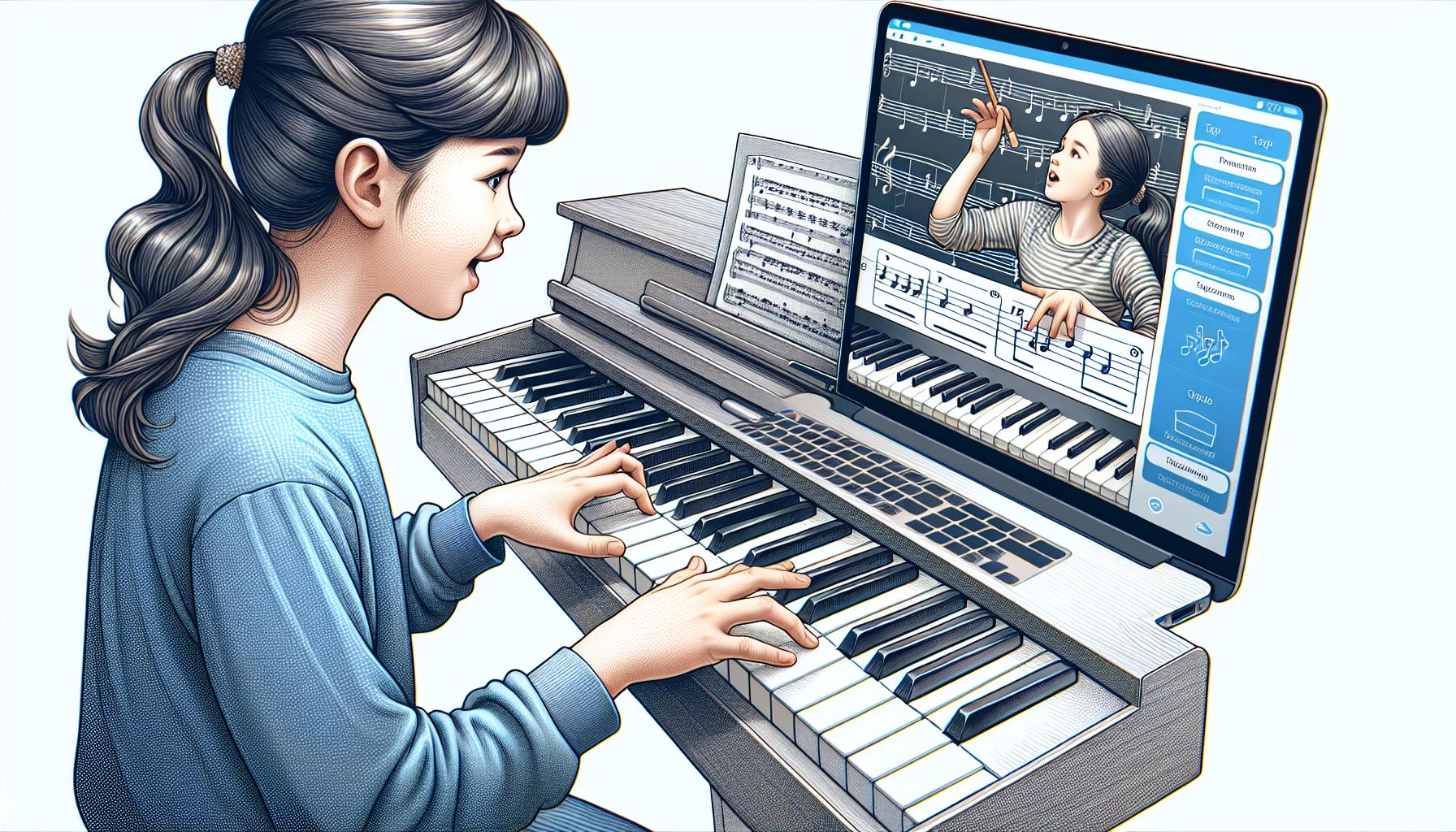
    After exploring OnlineKeyboardLessons.com, the next platform that stands out for keyboard enthusiasts is LearnPianoOnline.com. Renowned for its structured learning paths, the site appeals to beginners and intermediate players looking to hone their skills further. With a unique blend of technology and traditional teaching methods, LearnPianoOnline.com makes mastering the keyboard an attainable goal for many.

    The heart of LearnPianoOnline.com’s success lies in its curated lesson plans. These plans are meticulously designed to guide students through various stages of learning, ensuring a progressive climb up the musical ladder. Each lesson combines video tutorials, theory explanations, and practice exercises, creating a balanced approach to learning. What’s more, the site frequently updates its content, adding fresh tutorials and songs to keep learners engaged.

    An interesting feature of LearnPianoOnline.com is its focus on music theory and notation. Unlike sites that concentrate solely on playing by ear, this platform ensures that students also understand the why behind the music. This comprehensive approach not only improves playability but also equips learners with the knowledge to compose their own music someday.

    For those concerned about getting stuck or needing personalized guidance, LearnPianoOnline.com offers solutions. Subscribers can access a community forum and live Q&A sessions where experienced instructors and fellow students provide feedback, answer questions, and share tips. This community aspect fosters a sense of belonging and encourages mutual growth among learners.

    When it comes to affordability, LearnPianoOnline.com stands out with its various pricing options. Learners can choose from:

    Subscription Plan Cost Features
    Monthly $19.99/month Access to all lessons, community forum, and live Q&A
    Yearly $199.99/year Same as monthly plus additional downloadable resources
    Lifetime Access $499.99 One-time payment for unlimited access to all site content

    These plans make it easier for students to select an option that fits their budget and learning goals. Plus, with a 14-day free trial, newcomers can test the waters before fully committing.

    3. KeysToSuccess.com

    KeysToSuccess.com emerges as a distinguished platform in the realm of keyboard learning websites, catering especially to those who are looking to dive deeper into the intricacies of keyboard techniques and mastering specific genres. Unlike other platforms, KeysToSuccess.com prides itself on providing an eclectic mix of tutorials, ranging from classical to contemporary music, making it a versatile choice for learners with varied musical tastes.

    What sets KeysToSuccess.com apart is its unique approach to tutorials. They offer highly specialized courses that not only focus on playing techniques but also on understanding the history and evolution of music genres. This comprehensive learning method not only enhances practical skills but also enriches the learner’s musical knowledge and appreciation.

    The platform is well-structured, ensuring a seamless learning experience for users of all levels. Beginners can start with the fundamentals, gradually moving towards more advanced lessons, whereas experienced players can delve into genre-specific courses or advanced composition and improvisation techniques.

    Features and Benefits

    • Personalized Learning Paths: Each user receives a tailored learning plan based on their skills and goals. This personalized approach guarantees progress and keeps learners engaged.
    • Expert Tutors: The faculty consists of seasoned musicians and instructors, each an expert in their respective genre. This diversity allows for a rich learning experience, drawing from the tutors’ real-world experience and insights.
    • Interactive Practice Sessions: Beyond video tutorials, KeysToSuccess.com incorporates interactive exercises that simulate real-life playing scenarios, enhancing the hands-on learning experience.
    • Peer Support Community: The site boasts an active online community. Here, learners can share their progress, discuss challenges, and exchange tips, fostering a supportive learning environment.

    Pricing and Access

    KeysToSuccess.com offers multiple subscription options to accommodate different learning needs and budgets. The following table highlights their current plans:

    Plan Price Features
    Monthly $19.99 Full access to all lessons
    Annual $199.99 Includes a personal mentor session
    Lifetime $499.99 Unlimited access, plus bonuses

    Additionally, KeysToSuccess.com understands the importance of trial before commitment. They offer a 7-day free trial, giving potential learners a taste of what to expect before making a financial commitment.

    4. KeyboardMasterclass.com
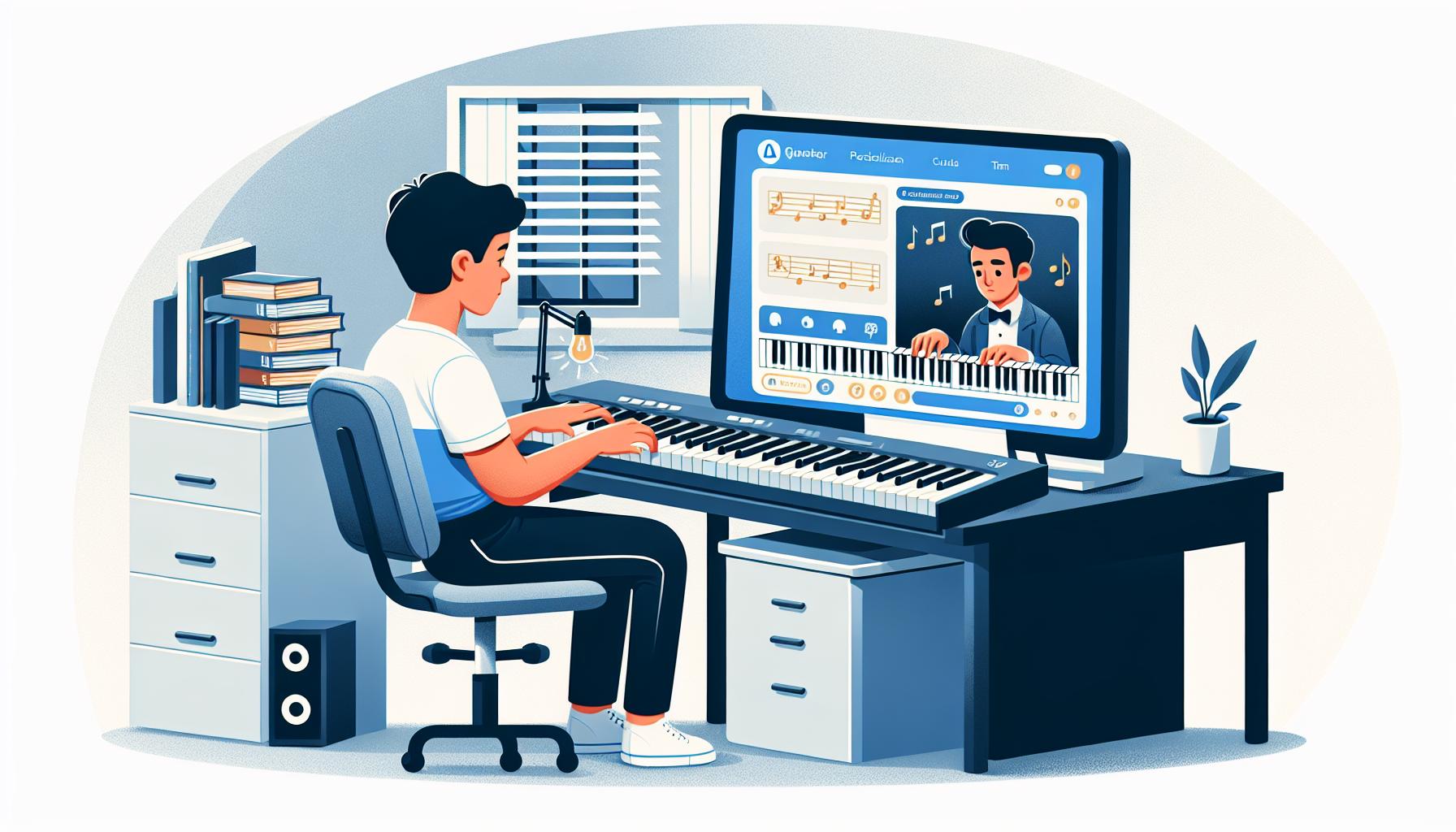
    In the diverse world of online keyboard learning platforms, KeyboardMasterclass.com shines brightly for its unique approach to teaching both beginners and seasoned pianists. This website stands out for its comprehensive collection of tutorials that cover a broad spectrum of keyboard playing styles including classical, jazz, and modern pop. With KeyboardMasterclass.com, learners are not just taught how to play the keyboard but are also immersed in understanding the theory behind the music, enabling a deeper musical expression.

    What sets KeyboardMasterclass.com apart is its highly personalized teaching approach. Each student’s learning journey is tailored based on their skill level and musical interests, ensuring that they remain engaged and motivated throughout their learning process. The platform also boasts a roster of expert tutors, each with their own specialized field. This means that students can learn from the best in the genre or style they are most interested in.

    Interactive practice sessions serve as the cornerstone of the learning experience on KeyboardMasterclass.com. These sessions are designed to mimic in-person lessons, offering immediate feedback and tips for improvement. Moreover, the integration of advanced learning analytics helps students track their progress over time, pinpointing areas of strength and those needing improvement. This smart use of technology ensures that learners are always on the right path towards mastering the keyboard.

    Besides its stellar educational content, KeyboardMasterclass.com fosters a vibrant community where students can connect, share experiences, and learn from each other. This community support system is a valuable resource for motivation, encouraging peer-to-peer learning and providing a network of like-minded individuals passionate about keyboard music.

    Subscription plans at KeyboardMasterclass.com are flexible, catering to a variety of budgets and learning preferences. Here’s a quick rundown of the available options:

    Subscription Plan Access Duration Price
    Monthly 1 Month $19.99
    Annual 12 Months $199.99
    Lifetime Unlimited $499.99

    Potential learners can also take advantage of a 7-day free trial to explore the platform’s features and courses before making a financial commitment. This trial period is an excellent opportunity for students to assess if KeyboardMasterclass.com aligns with their learning goals and preferences.

    5. VirtualPianoLessons.com
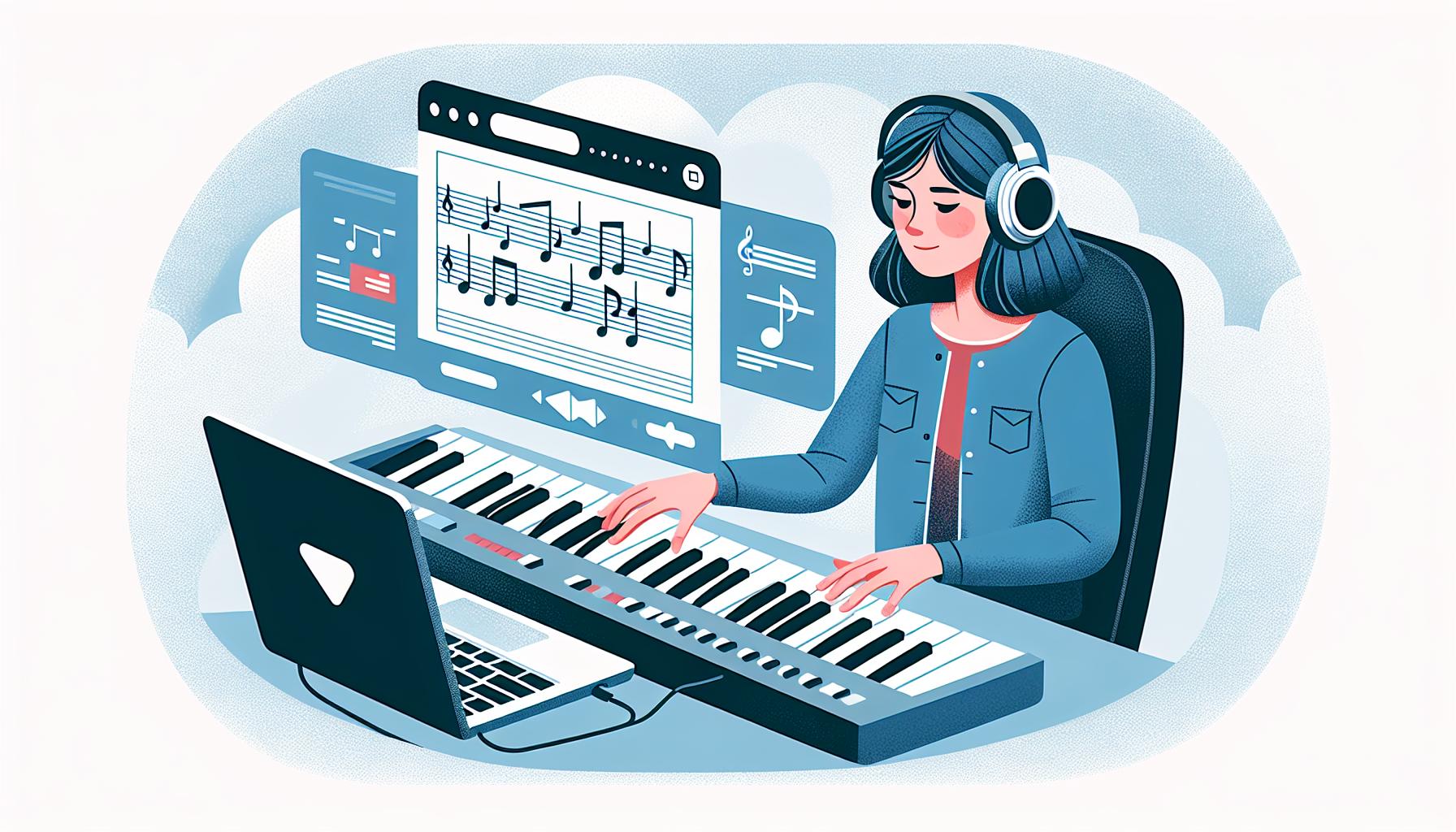
    In the bustling world of online music education, VirtualPianoLessons.com emerges as a beacon for those embarking on their piano-playing journey as well as intermediates seeking to refine their skills. This platform distinguishes itself through its adaptive learning technology which customizes lessons based on the learner’s progress, ensuring that each session is not only educational but also engaging.

    One of the standout features of VirtualPianoLessons.com is its vast library of songs and exercises spanning across various genres. From the timeless classics of Beethoven and Chopin to the contemporary hits of Taylor Swift and Ed Sheeran, learners have the freedom to choose their favorite tunes to practice. This not only keeps practice sessions interesting but also motivates students by allowing them to play the music they love.

    The site prides itself on its high-quality video tutorials led by a team of experienced instructors. These tutorials are crafted to make complex concepts accessible, breaking down pieces into manageable sections and offering tips on technique and interpretation. For those looking to dive deeper into music theory, VirtualPianoLessons.com offers specialized modules that cover everything from reading sheet music to understanding chord progressions.

    An innovative feature that sets VirtualPianoLessons.com apart is its real-time feedback system. Through the use of microphone access, the platform listens to the student’s playing and offers instant feedback on timing, accuracy, and expression. This immediate response mechanism accelerates the learning process, allowing students to quickly correct mistakes and improve their playing.

    The platform’s commitment to building a supportive community is evident in its interactive forums and weekly live sessions. Here, learners can share their progress, ask for advice, and even perform for their peers. These community interactions not only provide valuable insights but also instill a sense of camaraderie among students.

    VirtualPianoLessons.com offers various subscription options to accommodate different needs and budgets:

    Plan Price Access
    Monthly $19.99 Full access to all lessons and community forums
    Annual $199.99 Access plus two months free
    Lifetime $499.99 Unlimited access with no renewals

    Furthermore, newcomers to the site can take advantage of a 7-day free trial, allowing them to explore the full range of features without any upfront commitment.

    Conclusion

    Exploring the world of keyboard learning online has never been more accessible or enriching. With platforms like KeysToSuccess.com and KeyboardMasterclass.com catering to those eager to refine their playing techniques and dive into various music genres, learners have excellent resources at their fingertips. VirtualPianoLessons.com further elevates the experience for beginners and intermediates by blending adaptive learning technology with a comprehensive library and supportive community. Whether opting for a monthly, annual, or lifetime subscription, users get a taste of what’s possible during the 7-day free trial. Embarking on this musical journey online promises not just skill enhancement but also a deep, enduring love for the keyboard.


  • Master Keyboard Faster: Essential Ear Training Tips for Beginners

    Master Keyboard Faster: Essential Ear Training Tips for Beginners

    Embarking on the journey of learning the keyboard is an exciting adventure, filled with chords, melodies, and rhythms that can express every imaginable emotion. But there’s a secret ingredient that can transform a beginner into a maestro: ear training. It’s not just about hitting the right notes; it’s about understanding and feeling the music in a way that transcends the written score.

    For keyboard beginners, ear training might sound like a complex skill reserved for the musically gifted, but that’s far from the truth. It’s an accessible and essential tool that enhances musical intuition, allowing players to pick up tunes more quickly and play with greater expression. By developing a keen ear, beginners can unlock a new level of connection with their instrument, making every practice session not just a routine, but a journey of musical discovery.

    Benefits of Ear Training for Keyboard Beginners

    When beginners start their journey in learning the keyboard, they often focus on mastering the mechanics—where to place their fingers, how to read sheet music, and the theory behind the chords. However, ear training adds a valuable dimension to this process, offering several benefits that aren’t immediately obvious but are crucial for growth and enjoyment in music.

    Enhances Musical Intuition

    Ear training transcends the mechanical aspects of playing the keyboard by enhancing musical intuition. Players develop an understanding of music that goes beyond the notes on a page. This includes:

    • Recognizing chord progressions
    • Identifying intervals and melodies by ear
    • Anticipating the direction of a piece of music

    Such skills allow keyboard beginners to play more expressively, as they’re not just reading music; they’re interpreting it. This connection between ear and instrument enables them to convey emotions more effectively, turning their performances into heartfelt expressions.

    Accelerates Learning Process

    One of the most significant advantages of ear training is its impact on the learning process. With a trained ear:

    • Beginners can learn new tunes more quickly.
    • Memorization of pieces is enhanced.
    • Music theory becomes more intuitive.

    Ear training empowers students to hear a song and then play it without needing to search for sheet music, drastically reducing learning time and making practice sessions more fulfilling and fun.

    Improves Tuning and Sound Quality

    A well-developed ear is critical for achieving good tuning and sound quality. Beginners with ear training can:

    • Detect when their instrument is out of tune.
    • Understand the tonal qualities of their keyboard.
    • Adjust their playing technique to produce a desirable sound.

    This ability is essential for those who aspire to perform for others or record their music.

    Fosters Creativity and Improvisation

    Perhaps one of the most exciting benefits is how ear training fosters creativity and improvisation. With a keen ear, beginners can:

    • Experiment with new sounds and styles.
    • Compose their music.
    • Improvise when playing with others.

    This creative freedom not only keeps the learning journey interesting but also helps in developing a unique musical voice.

    • Picking up tunes by listening.
    • Deciphering complex rhythms and

    Developing Musical Intuition through Ear Training

    Ear training is not just about sharpening one’s ability to identify notes and chords; it’s fundamentally about nurturing a deep-seated musical intuition. For keyboard beginners, developing this intuition can significantly change how they interact with music, transforming them from mere players into true musicians.

    Musical intuition refers to the ability to understand and feel music in a way that goes beyond the written notes. It’s about anticipating harmonic progressions, sensing rhythmical shifts, and feeling the emotional undertone of pieces—all without needing to consciously analyze them. Such intuition empowers musicians to make spontaneous and emotionally resonant decisions in their playing.

    One of the primary ways ear training boosts musical intuition is by helping beginners to internalize the language of music. Just as we learn to speak by listening, musicians learn to express themselves by developing an acute ear for musical patterns and nuances. Ear training drills that focus on recognizing intervals, chord qualities, and scales lay the groundwork for this internalization. They help beginners to not just play notes, but to understand their relationship and emotional weight within a piece.

    Another aspect of developing musical intuition through ear training involves learning to listen actively. Active listening entails more than hearing sounds; it’s about dissecting and understanding them. When keyboard beginners practice listening to a wide range of music and focus on identifying its components, they gradually enhance their ability to predict musical directions and express them through their playing. This skill is invaluable for improvisation and composition, where making quick and informed musical choices is paramount.

    Here’s a brief look at how ear training impacts different areas of musical expertise:

    Aspect Impact of Ear Training
    Harmony Recognition Facilitates understanding of chord progressions and structures
    Rhythm Perception Improves timing and syncopation skills
    Melodic Ear Helps in identifying and recreating melodies and tunes
    Tonal Memory Enhances ability to remember and reproduce musical pieces

    By engaging in regular ear training exercises, beginners start to feel the music intuitively. They learn to anticipate changes and recognize patterns, which allows them to play more freely and expressively. Moreover, as their musical intuition grows, so does their confidence, enabling them to explore new musical territories without fear.

    Techniques for Improving Ear Training Skills

    Improving ear training skills is a journey that requires patience, practice, and the right techniques. For keyboard beginners, mastering these skills opens up a world of musical possibilities, allowing them to connect more deeply with their instrument. Below are several effective strategies that students can incorporate into their daily practice routines to enhance their ear training skills.

    Interval Recognition Practice
    One of the foundational aspects of ear training is the ability to recognize intervals—the distance between two notes. Beginners should start with simple intervals, such as major and minor seconds, and progressively work their way up to more complex intervals. Apps and online resources offer interactive exercises that make this practice both fun and educational. Listening to a wide variety of music and attempting to identify the intervals used can also boost one’s ability to recognize intervals in real-time.

    Singing While Playing
    Incorporating singing into keyboard practice sessions is an invaluable technique for improving ear training skills. Singing the notes as they play them helps students internalize the sounds of the intervals and chords, fostering a deeper musical understanding. This method also helps with pitch accuracy and rhythm, as students learn to match their voice with the keyboard’s notes.

    Chord Quality Recognition
    Understanding and identifying different chord qualities is another important aspect of ear training. Beginners should familiarize themselves with the sound of major, minor, augmented, and diminished chords. Practicing chord progressions and listening to music to identify the chord qualities being used helps reinforce this knowledge. Students can also use music theory apps or online games that focus specifically on chord recognition exercises.

    Active Listening Exercises
    Active listening is a critical skill for any musician. Beginners should spend time listening to music with the intent of dissecting and understanding its various components. This means focusing on identifying the melody, harmony, rhythm, and any unique qualities of the music. Analyzing pieces from different genres expands one’s musical vocabulary and helps in developing a keen ear.

    Recording and Review
    Recording oneself playing and then reviewing the recording can offer invaluable insights into one’s playing and listening abilities. This exercise allows students to critically assess how well they’re able to reproduce what they hear and identify areas for improvement. It also helps in developing self-critique skills and enhances one’s ability to listen critically.

    By integrating these techniques into their practice routines, keyboard beginners can significantly improve their ear training skills. It’s important for students to be persistent and patient, as developing a finely tuned ear is a gradual process.

    Integrating Ear Training into Keyboard Practice

    Integrating ear training into daily keyboard practice is a seamless strategy for beginners to enhance their musical understanding and listening skills simultaneously. By blending these exercises, beginners not only learn to play the instrument but also develop a sharper ear for music nuances.

    Start with the Basics

    For beginners, starting with the basics is crucial. They should begin with simple drills such as identifying single notes and gradually move to more complex tasks like recognizing chords and intervals by ear. Here’s how they can incorporate these exercises:

    • Single Note Recognition: Play a note on the keyboard and try to identify it without looking. Repeat this with different notes, preferably in a random order, to challenge the ear.
    • Interval Training: Play two notes consecutively or simultaneously and identify the interval. Start with basic intervals and progressively include more challenging ones.

    Integrating these exercises for at least 10 minutes at the beginning of practice sessions helps in warming up the ears for the upcoming practice.

    Application in Songs

    Applying ear training skills in learning songs is an effective way for beginners to experience real-time benefits. They should:

    • Choose a simple melody or song they’re familiar with.
    • Attempt to play it by ear, starting with the melody line before moving on to the accompanying chords.
    • Use trial and error to find the correct notes and chords, relying on their ears to guide them to the right sounds.

    This practical application strengthens their ability to learn music more intuitively and builds confidence in their ear training progress.

    Active Listening Sessions

    Incorporate active listening into practice routines by setting aside time to listen to music with a critical ear. Here’s a structured way to approach it:

    • Select a piece of music and listen for the melody, rhythm, and harmony.
    • Focus on identifying the intervals and chord progressions used in the piece.
    • Try to replicate parts of what they’ve heard on the keyboard.

    Active listening sessions enhance auditory skills and provide practical examples of how musical elements come together in compositions.

    Recording and Self-Assessment

    Beginners should regularly record their practice sessions, especially the parts where they’re applying ear training skills. Listening back to these recordings allows them to:

    • Assess their accuracy in pitch, rhythm, and chord recognition.
    • Identify areas of improvement and adjust their practice accordingly.

    Recording serves as a valuable tool for self-assessment and tracking progress in ear training.

    Mastering Keyboard Skills through Ear Training

    Ear training isn’t just an isolated aspect of learning the keyboard; it’s a Critical Pathway to mastering keyboard skills. For beginners, the journey of becoming proficient at playing the keyboard intertwines with the ability to listen carefully and respond musically to what they hear. This synergy between playing and listening sharpens overall musicality, making ear training an indispensable part of keyboard education.

    To effectively enhance keyboard skills through ear training, they should start with the basics. Recognizing pitches and intervals by ear lays a foundational understanding, enabling beginners to play melodies and harmonies more intuitively. As they develop these core listening skills, beginners will find it increasingly easier to replicate songs and compose their own music, relying less on visual aids like sheet music.

    Another significant aspect involves Rhythmic Training. Just as recognizing pitches is crucial, understanding and internalizing rhythms is equally important. Beginners should practice clapping or tapping out rhythms they hear, progressing from simple beats to more complex rhythmic patterns. This practice not only improves timing and coordination but also aids in developing a keen ear for different rhythmic structures, essential for nuanced keyboard playing.

    Incorporating ear training into keyboard practice doesn’t have to be tedious. Here are some practical tips to make it engaging:

    • Use Technology: There are numerous apps and online resources designed to improve listening skills. These can make ear training exercises more interactive and fun.
    • Play By Ear: Challenge themselves to learn their favorite songs by ear. Start with simple tunes and gradually work up to more complex pieces.
    • Imitate Sounds: Attempt to mimic various sounds on the keyboard. This could be anything from a doorbell to the melody of a bird’s song, encouraging flexibility and creativity in their playing.

    Developing a reliable ear for music also involves critical listening to recordings. They should listen actively, trying to identify and separate different musical elements such as melody, harmony, rhythm, and timbre. Beginners could also benefit from trying to transcribe these elements, though this may require some more advanced ear training.

    Practice is key in ear training just as with any other skill. Beginners should aim to integrate listening exercises into their routine, however brief these sessions may be. Over time, consistent practice will significantly enhance their ability to play by ear, understand music theory, improvise, and interpret music more expressively on the keyboard.

    • Improved

    Conclusion

    Ear training is a gateway to unlocking the full potential of keyboard playing for beginners. It’s not just about hitting the right notes; it’s about understanding and feeling the music deeply. By incorporating ear training exercises into their practice routines, beginners will find themselves more in tune with the music they create and enjoy. They’ll not only play more accurately but also with greater emotional expression. So, let’s embrace ear training as a vital component of learning the keyboard. It’s a journey that promises to enrich one’s musical experience profoundly.

  • Easy Guide: How to Transpose Keyboard Music for Beginners

    Easy Guide: How to Transpose Keyboard Music for Beginners

    Transposing keyboard music might seem like a daunting task for beginners, but it’s actually a skill that can open up a whole new world of musical possibilities. Whether you’re looking to play a song in a different key to match your vocal range or you’re just curious about how to make your favorite tunes sound fresh and new, learning to transpose is a valuable tool in your musical toolbox.

    Luckily, with a few simple tips and tricks, even complete novices can start transposing music with confidence. It’s all about understanding the basics and practicing a bit of musical magic. So, let’s dive into the world of transposition and discover how you can start playing your favorite songs in any key you’d like.

    Understanding Transposition

    Transposition is an invaluable skill for any keyboardist, allowing them to adjust a piece of music from one key to another. This technique not only facilitates playing in keys that are more comfortable for vocal ranges but also enables musicians to collaborate with others more seamlessly, as they can adapt their playing to match the key of various instruments. Understanding the basics of transposition can open up a world of musical possibilities for beginners.

    At its core, transposition involves shifting every note in a piece of music up or down by the same interval. This means if a song originally in C Major is transposed to E Major, all notes are moved a specific number of steps along the musical scale to maintain the piece’s melodic and harmonic relationships. To beginners, this might sound daunting, but with some guidance, it’s a skill that can be developed over time.

    The first step in learning to transpose is to understand the structure of scales and keys. Music is comprised of 12 major and 12 minor keys, each constructed using a unique sequence of whole and half steps. Beginners should start by familiarizing themselves with the Circle of Fifths – a visual tool that illustrates the relationships between these keys. This foundation is critical for efficiently transposing music.

    • Transposition adjusts music from one key to another, enhancing playability and collaboration.
    • It requires moving all notes in a piece by the same interval to preserve musical integrity.
    • Beginners should learn the structure of scales and the Circle of Fifths to transpose effectively.

    Another essential aspect of transposition for keyboard music is recognizing the importance of interval relationships. Intervals are the distances between notes, and maintaining these relationships is what keeps the transposed music sounding like the original. Practicing with simple melodies can help beginners get a feel for shifting these intervals accurately across different keys.

    With consistent practice, beginners will start noticing patterns and shortcuts that make transposition quicker and more intuitive. For instance, understanding that transposing a piece from C Major to G Major involves shifting all notes up a perfect fifth can save significant time. Additionally, becoming comfortable with reading and playing sharps and flats is necessary since changing keys often requires navigating these accidentals.

    • Transposing simple melodies by one step at a time.
    • Practicing scales and chords in different keys to build familiarity.
    • Using apps or online tools designed to aid in musical trans

    Benefits of Transposing Keyboard Music

    Transposing keyboard music offers a plethora of advantages for musicians, enabling them to adapt and grow in their musical journeys. One of the primary benefits is enhanced musical flexibility. Musicians often find themselves in situations where they must adjust the pitch of a piece to match vocal ranges or to blend with other instruments. Being adept at transposition allows keyboardists to seamlessly shift music into keys that are more suitable for their current needs, ensuring that performances are always pitch-perfect.

    Another significant advantage is the opportunity for improved understanding of music theory. Delving into the mechanics of transposition encourages musicians to deepen their grasp of scales, keys, and interval relationships. This understanding is crucial for mastering the art of music and opens up new avenues for creativity. By regularly engaging in transposition exercises, keyboardists can develop a more intuitive sense of music, enabling them to compose, improvise, and adapt music more effectively.

    Transposing also serves as an invaluable tool in broadening one’s repertoire. Certain pieces of music may initially seem inaccessible due to their complexity or key signature. However, by transposing these pieces to more familiar keys, keyboardists can tackle new challenges at their own pace. This not only allows for a more diverse selection of music to play but also aids in gradually building technical proficiency and confidence.

    Moreover, transposition fosters collaboration and ensemble playing. In group settings, it’s not uncommon for music to be transposed to accommodate different instruments or to create harmonious arrangements. Keyboardists who can swiftly transpose music become indispensable members of any musical ensemble, capable of bridging gaps and enhancing the group’s overall sound.

    Lastly, being proficient at transposing can increase practice efficiency. By practicing pieces in various keys, musicians expose themselves to different fingering patterns and technical challenges. This variety in practice can prevent monotony, keeping the learning process engaging and productive. Furthermore, it encourages the development of a more versatile technique, as musicians must adapt their playing to accommodate the demands of different keys.

    In essence, transposing keyboard music is not just a technical skill but a gateway to a more enriched musical experience. It empowers keyboardists to explore music beyond its original form, bringing them closer to their musical aspirations. Whether it’s pivoting a piece to fit a singer’s vocal range or unlocking new pieces previously considered too challenging, the benefits of transposing are manifold.

    Tips for Beginners

    Transposing keyboard music can initially seem daunting for beginners. However, with the right approach and some handy tips, the process becomes much more manageable and even enjoyable.

    One of the first steps in transposing music is to understand the original key of the piece. This knowledge is crucial as it serves as the foundation from which you’ll move to a new key. Beginners should familiarize themselves with key signatures and practice identifying them in various pieces of music.

    Next, deciding on the new key is essential. Beginners should start by transposing to keys that are closely related to the original key. These are typically one sharp or flat away from the original key on the circle of fifths. This minimizes the number of changes needed and simplifies the process.

    Another tip is to use transposition charts. These charts are incredibly helpful as they provide a visual representation of how notes shift from one key to another. By referring to these charts, beginners can avoid common mistakes and ensure their transposition is accurate.

    For hands-on practice, beginners should:

    • Start with simple melodies. Choose short and simple pieces to practice transposing. This helps in understanding the basic mechanics without getting overwhelmed.
    • Transpose orally or mentally before playing. This exercise strengthens the mental connection between the original and the new key, enhancing overall musical flexibility.
    • Make use of technology. There are many apps and software that can assist in transposition. These tools can offer immediate feedback and support as one learns.

    It’s also beneficial to practice regularly. Transposing skills, like any other musical skill, improve with frequent and deliberate practice. Set aside time each week to focus solely on transposing different pieces of music.

    Here’s a brief overview of why regular practice is important:

    Reason for Practice Impact on Transposition Skills
    Familiarity with More Keys Increases flexibility and ease of playing in various keys
    Better Note Recognition Accelerates the ability to identify and shift notes accurately
    Enhanced Music Theory Understanding Deepens understanding of harmonic structures, making transposition more intuitive

    Lastly, beginners shouldn’t get discouraged by initial mistakes. Learning from errors is a part of the process. Analyzing what went wrong and figuring out how to correct it will only lead to improvement.

    Practice Makes Perfect

    Embarking on the journey to master the art of transposing keyboard music, one quickly discovers that consistent practice isn’t just beneficial—it’s essential. Like learning a new language or mastering a sport, the progress in music transposition skills largely depends on how much time and effort they’re willing to invest.

    For beginners, setting aside regular, dedicated practice sessions can significantly accelerate their learning curve. These sessions don’t have to be long marathons. In fact, shorter, more frequent practices are often more effective than sporadic, lengthy sessions. They allow the learner to stay focused, reduce frustration, and gradually build up their skills without feeling overwhelmed.

    During practice, it’s crucial to explore a variety of music genres and complexity levels. Starting with simple melodies or songs they’re familiar with provides a comfortable entry point. As they gain confidence and proficiency, they can gradually move on to more challenging pieces. This methodical approach ensures a steady progression and prevents the feeling of hitting a plateau, which can be discouraging for many beginners.

    Another key practice technique involves oral or mental transposition before even touching the keyboard. This can boost their understanding of musical structures and enhances their ability to anticipate the sound of notes and chords in different keys. When they finally play the music, their fingers are more likely to find the right notes naturally because their mind has already rehearsed the transition.

    Leveraging technology can also play a significant role in practice sessions. Today, there are myriad apps and software designed to aid music transposition. These tools can offer instant feedback, display chord names and notes in different keys, and even allow them to hear how their transposition should sound. This immediate auditory and visual feedback is invaluable in reinforcing learning and correcting mistakes in real-time.

    Above all, the emphasis should always be on learning from mistakes rather than fearing them. Mistakes are inevitable and incredibly informative. They highlight areas that need more attention and help refine techniques. Encountering and overcoming errors during practice fosters a deeper understanding of music theory and enhances overall musicality.

    Regularly revisiting the basics can also reinforce foundational skills. It’s tempting to always chase after new and more complex challenges, but revisiting simpler tasks can solidify their grasp of key concepts and techniques. This balanced approach keeps the practice sessions both interesting and productive.

    Conclusion

    Transposing keyboard music might seem daunting at first but with the right approach, it becomes an enriching part of a musician’s journey. By dedicating time to practice, embracing a variety of music, and not shying away from the challenges, beginners will find themselves growing more confident and versatile. Remember, it’s about the journey as much as the destination. So keep experimenting, learning from every mistake, and celebrating each small victory along the way. With patience and persistence, the art of transposition will not only become manageable but also immensely rewarding.

  • 5 Essential Keyboard Finger Exercises for Beginners to Boost Typing Skills

    5 Essential Keyboard Finger Exercises for Beginners to Boost Typing Skills

    Stepping into the world of typing can feel like embarking on a thrilling journey. For beginners, the keyboard is a vast landscape, waiting to be explored. But before setting out, it’s crucial to get those fingers in shape! Just like athletes warm up before a game, typists need their own set of exercises to keep their fingers agile and ready for action.

    That’s where keyboard finger exercises come into play. Designed specifically for novices, these exercises are the perfect way to build strength, increase speed, and improve accuracy. They’re simple, effective, and can be done from the comfort of your desk. So, if you’re ready to give your typing skills a boost, let’s dive into the world of keyboard finger exercises for beginners.

    Benefits of Keyboard Finger Exercises

    Engaging in keyboard finger exercises offers a plethora of benefits that extend far beyond just improving typing speed. These exercises are designed not only to enhance the typist’s efficiency but also to ensure the overall well-being of their hands and fingers.

    First and foremost, keyboard finger exercises greatly increase typing speed. Through regular practice, beginners can gradually build up their pace, allowing them to complete typing tasks more swiftly. This increase in speed is crucial for anyone looking to improve their productivity, whether for work, study, or personal projects.

    Another significant benefit is the improvement in typing accuracy. As beginners focus on finger exercises, they become more familiar with the keyboard layout. This familiarity reduces the likelihood of making errors, ensuring that the work they produce is of higher quality. High accuracy levels are essential for creating professional documents and communications, free of typos and mistakes.

    Furthermore, keyboard finger exercises strengthen the muscles in the hands and fingers. Just like any other part of the body, muscles in the hands require regular exercise to stay strong and flexible. This added strength is especially beneficial for preventing strain and fatigue during long periods of typing.

    Moreover, these exercises promote better hand and finger posture. Proper posture reduces the risk of developing repetitive strain injuries (RSIs), such as carpal tunnel syndrome, which are common among individuals who type extensively without proper hand positioning. By learning and maintaining correct finger placement through exercises, typists can safeguard their health in the long run.

    In addition to health benefits, engaging in finger exercises enhances muscle memory. Over time, the fingers naturally learn to move to the correct keys without conscious thought. This automaticity allows typists to focus more on their content and less on the physical act of typing, leading to a more seamless and enjoyable typing experience.

    Lastly, keyboard finger exercises are incredibly accessible and convenient. They require no special equipment; a keyboard and a few minutes of spare time are all it takes. This accessibility makes it easy for anyone to incorporate these exercises into their daily routine, ensuring consistent practice and improvement.

    Benefit Description
    Increase in Typing Speed Helps beginners build up their pace, allowing for quicker task completion.
    Improvement in Typing Accuracy Reduces the likelihood of errors by fostering familiarity with the keyboard layout.

    Importance of Proper Finger Placement

    When learning keyboard finger exercises, proper finger placement is foundational. It acts as the bedrock upon which speed, accuracy, and hand health are built. Beginners often overlook this aspect, focusing solely on speed. However, without correct finger placement, achieving optimal typing efficiency remains an elusive goal.

    Proper finger placement entails assigning specific fingers to designated keys, known as the home row keys. These keys serve as the starting point for each finger, ensuring that every keystroke is within easy reach. By maintaining this discipline, typists can cover the entire keyboard without looking down, relying on muscle memory to guide their fingers.

    Benefits of Proper Finger Placement:

    • Enhanced Accuracy: By using designated fingers for specific keys, typists significantly reduce errors. Each finger becomes adept at its range of keys, making mistyping less likely.
    • Increased Typing Speed: As accuracy improves, so does speed. Efficient finger movement minimizes the distance each finger travels, leading to quicker typing.
    • Reduced Physical Strain: Proper placement prevents overstretching and awkward hand movements, thereby reducing the risk of RSI (Repetitive Strain Injury).

    To master proper finger placement, beginners should:

    • Practice Regularly: Consistency is key. Short, daily practice sessions yield better results than sporadic, lengthy ones.
    • Use Visual Aids: Keyboard diagrams or typing software can help visualize which fingers correspond to which keys.
    • Focus on Accuracy Before Speed: Speed naturally follows accuracy. Beginners should aim for precision, gradually increasing their pace as they become more comfortable.
    1. Touch Typing Drills: Start with exercises that reinforce the home row keys, gradually incorporating upper and lower rows as confidence grows.
    2. Text Replication: Copying passages of text helps apply proper finger placement in a practical context, reinforcing learning.

    It’s important to remember that progress in finger placement and, by extension, typing skill doesn’t happen overnight. Patience and persistence are crucial as beginners navigate the learning curve. As their comfort with the keyboard grows, so will their typing proficiency, transforming a task that once felt cumbersome into a seamless, automatic process. Incorporating keyboard finger exercises that emphasize proper finger placement into one’s daily routine not only sets the stage for improved performance but also safeguards against the physical strain that can accompany improper technique.

    Common Finger Exercise Techniques

    When beginning the journey to improve typing skills through keyboard finger exercises, it’s crucial to familiarize oneself with the most effective techniques. These methods not only reinforce proper finger placement but also ensure a progressive advancement in speed and accuracy.

    Jumbled Letters Drill

    One popular technique involves the Jumbled Letters Drill. This exercise requires the typist to focus on random letters instead of coherent words or sentences. The randomness prevents the formation of typing patterns based solely on familiar words, thus challenging the brain and fingers to adapt quickly to varied combinations. By practicing this drill, beginners can significantly enhance their response time and accuracy, as each finger learns to move independently of the others.

    Sequential Letters Exercise

    Contrasting with the jumbled approach is the Sequential Letters Exercise. This method emphasizes typing letters in sequence, such as ‘abcdefg’, or following a specific pattern like ‘qwer’. This exercise helps in solidifying the muscle memory associated with each finger’s designated keys on the keyboard. It’s a fantastic way for beginners to start with something less random than the Jumbled Letters Drill, offering a more structured approach to learning.

    Progress Tracking

    To witness tangible improvements, it’s essential to track progress. Beginners should note:

    • Their speed in words per minute (WPM)
    • Accuracy rate

    Here’s a simple way to keep track:

    Metric Before Practice After 1 Month After 2 Months
    Speed (WPM) 20 35 45
    Accuracy (%) 85 90 95

    Dexterity Enhancing Exercises

    Beyond the keyboard, there are dexterity-enhancing exercises designed to improve finger agility and strength. Simple activities like squeezing a stress ball, playing with clay, or even practicing finger lifts off a flat surface can greatly contribute to a beginner’s ability to type with ease and comfort. Integrating these exercises into a daily routine aids in preventing stiffness and increases typing endurance.

    Practice Through Replication

    Another efficient strategy involves text replication. This method encourages beginners to select a passage of text and then replicate it as accurately and quickly as possible. Not only does this practice reinforce muscle memory, but it also aids in familiarizing oneself with common word patterns and phrases used in real-life typing scenarios.

    Incorporating Finger Exercises into Your Daily Routine

    Finding time for keyboard finger exercises might seem challenging with a busy schedule. However, consistency is key when it comes to improving typing skills. To make these exercises part of your daily routine, it’s vital to integrate them into your existing habits seamlessly.

    Start Small

    Begin with short, five-minute sessions in the morning or during breaks. These can gradually become longer as your fingers become more accustomed to the movements. Starting small reduces the risk of overwhelm and ensures that the practice doesn’t feel like a chore.

    Use Spare Moments Wisely

    • Waiting for a web page to load? Try a quick jumbled letters drill.
    • On hold during a phone call? Perfect time for some sequential letters practice.

    These short bursts of practice can add up over time, maintaining the momentum of your progress.

    Set Reminders

    In the digital age, reminders can be a great tool to help you stay on track. Setting up calendar alerts or smartphone notifications to practice finger exercises can bolster your discipline and ensure you don’t forget your daily practice sessions.

    Track Your Progress

    Using a simple spreadsheet or a dedicated app to track your progress can be incredibly motivating. Record metrics like words per minute and accuracy rate to see how far you’ve come. Celebrate small victories to keep yourself engaged and motivated.

    Integrate with Real Work

    Incorporate your finger exercises into actual typing tasks. Whether it’s drafting an email or writing a report, try to apply the techniques you’re learning. This not only makes the exercise more practical but also enhances your productivity in real-life typing scenarios.

    Stay Dedicated

    Persistence is crucial. There may be days when progress seems slow or nonexistent. It’s important to stay dedicated and remind yourself why you started. Over time, with consistent practice, typing will become more effortless and enjoyable.

    Make It Fun

    Finally, remember to mix things up and keep your practice sessions enjoyable. Games, challenges with friends, or setting personal goals can make the learning process more fun and less of a mundane task. The more enjoyable the practice, the more likely you are to stick with it.

    Tips for Maximizing the Effectiveness of Finger Exercises

    Embarking on the journey of improving typing skills through keyboard finger exercises can be both exciting and daunting for beginners. It’s not merely about going through the motions but optimizing each session to reap the maximum benefits. Here are several tips to ensure that beginners can make the most out of their practice sessions.

    Start Small and Increase Gradually

    For many beginners, the enthusiasm to improve quickly can lead to burnout due to tackling too much too soon. It’s crucial to start with exercises that match their current skill level, gradually increasing the difficulty as they progress. Short, daily practice sessions of about 5 to 10 minutes can prevent overwhelming while fostering steady improvement.

    Focus on Accuracy Before Speed

    One common mistake beginners make is prioritizing speed over accuracy. It’s essential to understand that speed is a byproduct of accuracy and comfort. Focusing on hitting the right keys with the correct fingers without looking at the keyboard will naturally lead to increased typing speed over time. Beginners should take their time, ensuring each keystroke is deliberate and accurate.

    Use Tools and Resources

    The internet offers a plethora of tools and resources tailored for keyboard finger exercises. From software programs that track speed and accuracy to online games designed to make learning fun, these tools can provide structured guidance and feedback. Utilizing them can add variety to practice sessions, keeping motivation high.

    Maintain Proper Posture

    Maintaining proper posture while typing is often overlooked but is pivotal in maximizing the effectiveness of finger exercises. Sitting up straight with feet flat on the floor, wrists in a neutral position, and fingers gently resting on the home row keys can reduce the risk of fatigue and repetitive strain injuries. Proper posture also ensures that fingers can move freely and efficiently across the keyboard.

    Integrate Real-Life Tasks

    Integrating typing practice into daily tasks can provide real-world application and boost learning. Whether it’s typing out an email, jotting down notes, or creating to-do lists, using these activities as practice opportunities can help beginners apply what they’ve learned in a practical setting. It also helps in transitioning skills from exercises to actual typing tasks seamlessly.

    Conclusion

    Embarking on the journey to improve typing skills through keyboard finger exercises is a step towards greater efficiency and comfort. By starting small, focusing on accuracy, and making use of the myriad of resources available, beginners are setting themselves up for success. Remember, it’s not just about the speed but also about reducing errors and building muscle memory. Keeping a good posture and incorporating these exercises into daily activities can make practice enjoyable and more effective. With patience and persistence, the path to typing proficiency is well within reach. Let these exercises be a fun challenge rather than a chore, and watch how quickly your skills evolve.

  • Inclusive Keyboard Lessons: Tailored for Beginners with Disabilities

    Inclusive Keyboard Lessons: Tailored for Beginners with Disabilities

    Learning to play the keyboard opens up a world of musical expression and creativity. It’s an exciting journey, but for beginners with disabilities, finding the right approach and resources can feel daunting. Yet, it’s important to remember that music is for everyone, and with the right support, anyone can learn to play the keyboard.

    Adaptive teaching methods and specialized equipment have made keyboard lessons more accessible than ever before. These advancements ensure that learners with disabilities can explore their musical talents in a comfortable and inclusive environment. Whether it’s through tailored lesson plans, adaptive keyboards, or supportive software, there’s a pathway for everyone to embark on their musical journey.

    Understanding the Needs of Beginners with Disabilities

    When diving into the world of keyboard lessons for beginners with disabilities, it’s crucial to acknowledge that each student has unique needs and abilities. Recognizing these individual requirements is the first step towards crafting a supportive and inclusive learning environment. Music should be accessible to all, and by tailoring teaching methods and lesson plans, instructors can ensure that every student has the opportunity to thrive musically.

    Adaptive Teaching Methods

    Instructors often employ adaptive teaching methods to meet the diverse needs of their students. These methods may include:

    • Visual Aids: Using large notes and colorful visuals to make reading music easier for those with visual impairments.
    • Tactile Learning Tools: Incorporating textured materials to help students with physical disabilities feel the music they’re playing.
    • Sign Language: For students who are deaf or hard of hearing, integrating sign language into lessons can aid in understanding musical concepts and instructions.

    These adaptive strategies not only make learning the keyboard more accessible but also create a learning experience that’s engaging and enjoyable for students with disabilities.

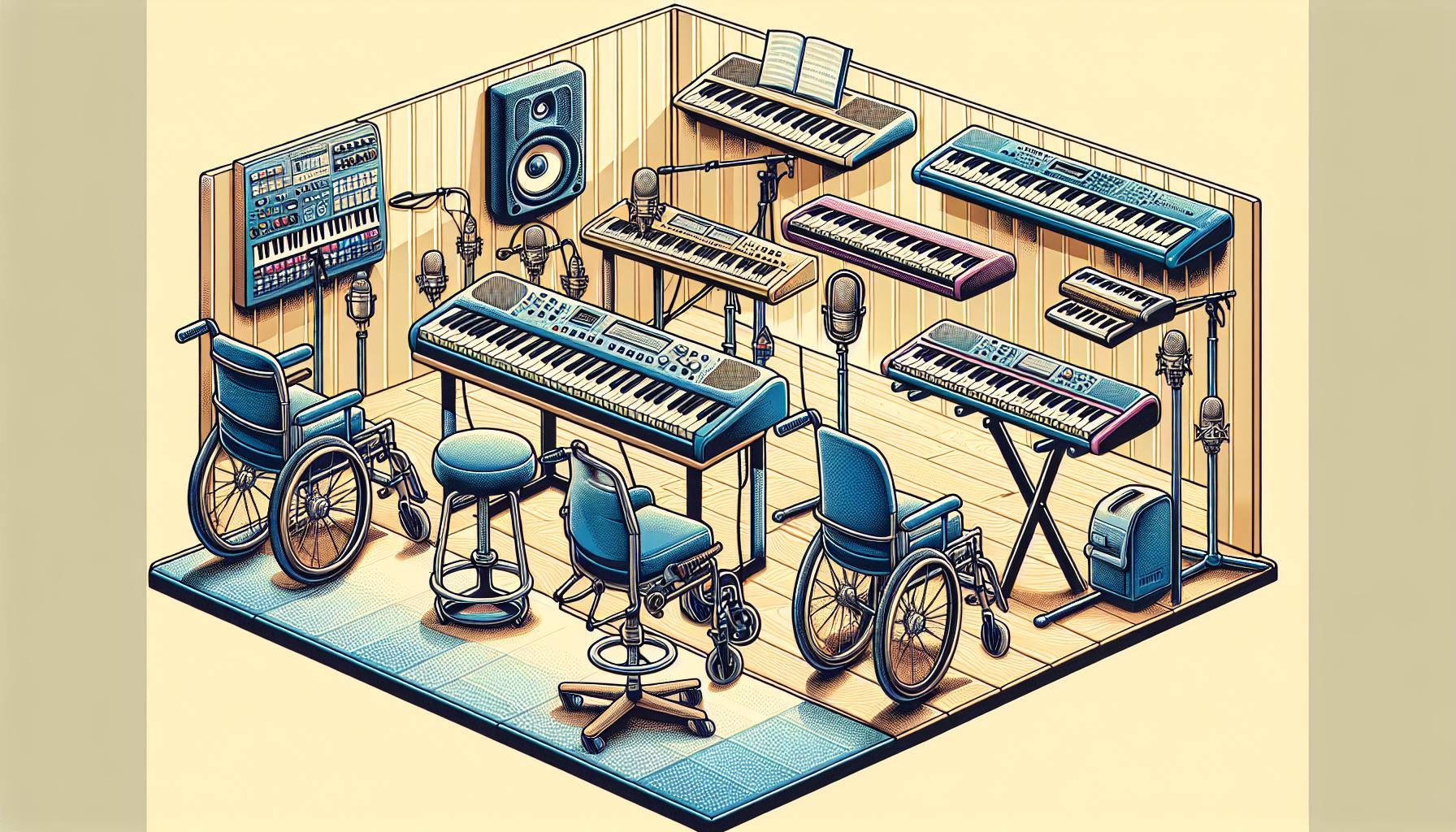
    Specialized Equipment

    Advancements in technology have led to the development of specialized equipment designed to make playing the keyboard more accessible. Some of these innovations include:

    • Adjustable Stands: Allows the keyboard to be positioned at the optimal height and angle for each student’s comfort.
    • Touch-Sensitive Keyboards: Requires less force to play, making them ideal for individuals with limited strength or mobility in their hands.
    • Foot Pedals: Customized pedals can offer alternatives for playing certain keyboard functions, accommodating those who may not be able to use their hands traditionally.

    Equipping a classroom or practice space with such adaptive instruments and devices can significantly enhance the learning experience for beginners with disabilities.

    Creating an Inclusive Learning Environment

    Beyond the physical aspects of learning, the atmosphere in which education occurs plays a significant role in a student’s success. Teachers and instructors can create an inclusive and supportive atmosphere by:

    • Celebrating small victories and milestones, showing students that progress, no matter how small, is still progress.
    • Fostering a sense of community among students, encouraging peer support, and learning from each other’s experiences.
    • Maintaining open lines of communication with students and their families, ensuring that lessons remain responsive to each student’s evolving needs.

    Benefits of Adaptive Teaching Methods

    Adaptive teaching methods go beyond conventional instruction to meet the unique needs of beginners with disabilities. These methods leverage a mix of technology, specialized equipment, and personalized teaching strategies to create a learning environment where every student feels valued and understood.

    One of the primary benefits of adaptive teaching is the enhanced engagement it fosters among students. Through the use of visual aids, sign language, and tactile learning tools, teachers can deliver lessons in ways that resonate with students’ individual learning preferences. This not only keeps students motivated but also helps them retain information more effectively.

    Moreover, adaptive methods encourage greater independence in learners. For instance, equipping a keyboard setup with adjustable stands and touch-sensitive keyboards enables students to adjust their instruments according to their physical needs, promoting self-reliance. Foot pedals modified for ease of use allow students to control various aspects of their learning experience, further fostering a sense of independence.

    Accessibility is another key advantage. By incorporating specialized equipment and adaptive software, teachers can break down barriers that might otherwise hinder students’ ability to fully participate in lessons. This inclusivity ensures all students have equal opportunities to explore their musical potential.

    Social integration plays a crucial role in the development of beginners with disabilities, and adaptive teaching methods significantly contribute to this aspect. By creating an inclusive learning environment, students feel more connected to their peers, boosting their confidence and social skills. Celebrating achievements, no matter how small, and encouraging peer-to-peer interactions are vital components of building a supportive community.

    The effectiveness of adaptive teaching methods is further underscored by their ability to accommodate a wide range of disabilities. Whether students have physical impairments that require ergonomic aids or learning disabilities that necessitate specialized instructional techniques, adaptive teaching methods can be tailored to meet these diverse needs.

    Benefit Description
    Enhanced Engagement Utilizes a variety of learning tools to keep students motivated and improve information retention.
    Greater Independence Empowers students by providing them with tools and setups that promote self-reliance in learning.
    Accessibility Ensures all students have the opportunity to participate fully in lessons by removing physical barriers.
    Social Integration Fosters a sense of community and belonging, enhancing students’ confidence and social skills.
    Accommodation of Diversity Tailors teaching methods to suit the individual needs and abilities of students with various disabilities.

    Specialized Equipment for Keyboard Lessons

    Specialized equipment plays a crucial role in keyboard lessons for beginners with disabilities, making learning both accessible and enjoyable. By incorporating adaptive tools tailored to individual needs, instructors can create an inclusive environment that accommodates everyone.

    Adjustable Keyboard Stands

    Adjustable keyboard stands are fundamental in ensuring comfort and accessibility. These stands allow the keyboard to be positioned at the optimal height and angle for each student, catering to those who may use wheelchairs or have limited mobility. This customization enhances focus on learning, as students won’t be hindered by physical discomfort or strain.

    Touch-Sensitive Keyboards

    Incorporating touch-sensitive keyboards is another effective strategy. These keyboards respond to light touches, eliminating the need for forceful pressing, which can be a challenge for some students. This sensitivity promotes ease of use, especially for individuals with motor disabilities, allowing them to express themselves musically without physical barriers.

    Visual Aids and Tactile Tools

    • Large Print Music: For students with visual impairments, large print music can be a game-changer. This adaptation ensures that reading music is more accessible, enabling these students to participate fully.
    • Tactile Markers: Placing tactile markers on keyboards helps visually impaired students locate keys more efficiently. These markers can denote specific notes or orient the student to the layout of the keyboard, fostering independence and confidence.

    Adaptive Software

    Adaptive software represents a leap forward in making keyboard lessons more inclusive. Software that reads aloud digital sheet music or provides interactive learning games suitable for various disabilities can significantly enhance the learning experience. Some programs are specifically designed to be compatible with assistive technologies like screen readers, ensuring that visually impaired students can navigate the software independently.

    Specialized Learning Apps

    Several apps are now available that cater specifically to learners with disabilities. These apps often integrate gamified learning with customizable settings, allowing for adjustments in color contrast, playback speed, and difficulty level. By making learning fun and adaptable, these apps help maintain high engagement levels among students.

    Ergonomic Benches and Seating

    Comfort is key when it comes to sustaining longer practice sessions. Ergonomic benches and seats support correct posture and can be adjusted to accommodate the physical needs of each student. Proper seating not only prevents fatigue but also encourages students to practice more often, as they feel physically supported.

    Tailored Lesson Plans for Learners with Disabilities

    Creating an inclusive learning environment for keyboard lessons involves more than just specialized equipment. Tailored lesson plans play a critical role in accommodating the unique needs of learners with disabilities. These customized plans ensure that each student can progress at their own pace, building confidence and mastery over the keyboard.

    For students with disabilities, the one-size-fits-all approach to music education falls short. This is where modified lesson structures come into play. Educators often use a combination of adaptive teaching methods and individual learning objectives to craft lessons that both challenge and support students.

    • Adaptive Teaching Methods: These may include using simpler language for students with cognitive disabilities or incorporating sign language for those who are deaf or hard of hearing.
    • Individual Learning Objectives: These allow teachers to set personalized goals for each student based on their specific abilities, needs, and interests.

    Technology also plays a pivotal role in tailoring lesson plans. Assistive technologies such as screen readers and speech-to-text software can make learning materials more accessible. Moreover, interactive apps that offer visual and auditory cues help reinforce learning, making the process more engaging for students with learning disabilities.

    One of the most effective strategies is incorporating a multisensory approach to learning. This involves engaging multiple senses to help students grasp musical concepts and techniques more effectively. For example, tactile feedback from touch-sensitive keyboards and auditory feedback from high-quality sound output can significantly enhance the learning experience for students with visual impairments.

    Teachers specializing in music education for students with disabilities often have training in special education. This equips them with the skills needed to modify teaching approaches and lesson content appropriately. For instance, lessons may be structured to emphasize short, achievable objectives, enabling students to experience frequent successes. This boosts their motivation and enjoyment of music.

    Moreover, the inclusion of peer interaction in lesson plans fosters a sense of community and belonging among students. Group activities designed to accommodate various disabilities can enhance social skills while providing a supportive environment for musical exploration.

    Here are some examples of tailored lesson initiatives:

    Initiative Type Description
    Visual Learning Aids Use of color-coded notes and large print music sheets for students with visual impairments.
    Tactile Learning Aids Incorporation of textured stickers on keyboard keys to guide finger placement for tactile learners.
    Auditory Feedback Systems

    Conclusion

    Embracing the diversity of students with disabilities in keyboard lessons opens up a world of musical exploration and expression that benefits everyone involved. By focusing on customized lesson plans and adaptive teaching methods, teachers can create a supportive and inclusive environment where all students feel valued and are encouraged to reach their full potential. The use of technology and a multisensory approach not only makes learning more accessible but also more engaging for students with different needs. With the right mindset and resources, every beginner can embark on a musical journey that enriches their lives and brings joy to those around them. Here’s to making music an inclusive experience for all!

  • Optimal Keyboard Practice Duration for Beginners: A Comprehensive Guide

    Optimal Keyboard Practice Duration for Beginners: A Comprehensive Guide

    Starting your musical journey with the keyboard is an exciting adventure filled with chords, melodies, and endless possibilities. But as with any new skill, the question of “how much is just enough?” often pops up. For beginners, finding that sweet spot in practice time can be the key to unlocking progress without burning out.

    It’s tempting to think that more is always better, but when it comes to practicing the keyboard, quality often trumps quantity. Setting realistic, manageable goals for daily practice can help keep the learning process enjoyable and effective. Let’s dive into how long beginners should tickle the ivories each day to foster growth, maintain enthusiasm, and avoid the dreaded practice fatigue.

    Benefits of Daily Practice

    Practicing the keyboard daily offers a myriad of benefits that extend far beyond simply mastering the instrument. For beginners, the ritual of daily practice sets the foundation for a disciplined approach to music learning, ensuring steady progress and the continual development of skills.

    Firstly, muscle memory plays a crucial role in learning to play the keyboard. This type of memory is developed through repetition. By engaging in daily practice, beginners start to play more smoothly and confidently, as their fingers begin to automatically find the right keys without conscious thought. This level of familiarity with the keyboard layout significantly accelerates the learning process.

    Another key benefit of daily practice is the improvement in reading music. Just like learning a new language, reading music requires regular engagement. Daily practice helps beginners familiarize themselves with various musical notations, rhythms, and patterns, making sight-reading a less daunting task over time.

    Consistency in practice also fosters emotional connection with the music. When beginners practice every day, they’re not just learning notes and chords; they’re also exploring the emotional depth and storytelling that music offers. This connection often acts as a motivational boost, encouraging learners to keep exploring and improving.

    Moreover, daily practice can lead to an increase in creativity. As beginners become more comfortable with their instrument, they start to experiment with creating their own melodies or tweaking existing ones. This exploration is essential for developing an individual style and can be incredibly fulfilling.

    In terms of mental health benefits, engaging with music on a regular basis has been shown to reduce stress, enhance mood, and improve cognitive functions. For beginners, the sense of achievement in learning a new piece or mastering a difficult section can be a significant boost to self-esteem and overall mental well-being.

    To maximize the benefits of daily practice, beginners should aim for a balanced approach. It’s not just about the amount of time spent but also about how that time is used. Focused, goal-oriented practice sessions, even if they’re short, can be more productive than longer, unfocused ones. It’s also important for learners to listen to their bodies and minds to avoid burnout. If practice starts to feel overwhelming, it might be time to take a brief rest or adjust the routine.

    Below is a table summarizing the key benefits of daily practice for beginners:

    Benefit Description
    Muscle Memory Development

    Setting Realistic Practice Goals

    As beginners embark on their keyboard learning journey, one of the most common questions they face is, “How long should I practice each day?” While the desire to master this instrument quickly is understandable, setting realistic practice goals is crucial. These goals not only foster continuous progress but also ensure that the enthusiasm for learning doesn’t wane due to burnout or frustration.

    A great starting point for beginners is aiming for consistent, daily practice sessions rather than focusing on the duration. Quality over quantity truly matters here. For most, dedicating 15 to 30 minutes a day is a manageable and effective goal. This timeframe is long enough to see gradual improvement, yet short enough to keep practice from becoming a daunting task.

    Experience Level Recommended Daily Practice Time
    Absolute Beginner 15-20 minutes
    Some Experience 20-30 minutes
    Advanced Beginner 30-45 minutes

    It’s also essential to structure practice sessions to maximize their effectiveness. A good practice routine could include:

    • Warm-Up: Spend a few minutes on simple exercises to loosen up the fingers and get into the zone.
    • Technique: Focus on scales, arpeggios, or other exercises that improve dexterity and finger strength.
    • Piece Practice: Spend the bulk of the session working on pieces or songs, breaking them down into manageable sections.
    • Cool Down: End with something enjoyable, like improvising or revisiting a favorite piece, to leave the session feeling positive.

    Listening to one’s own body and mind is important. If on certain days, 15 minutes feels overwhelming, it might be a sign to take it easier. On other days, one might feel energetic and eager to extend their practice beyond 30 minutes. Following these cues helps maintain a balanced approach, preventing both under-practice and overdoing it.

    An often overlooked, yet vital, aspect of setting realistic goals is to celebrate small achievements. Mastering a new scale, getting through a difficult section of a piece, or simply sticking to the daily practice schedule are all accomplishments worth acknowledging. Celebrating these milestones boosts motivation and reinforces the value of consistent practice.

    Recommended Practice Time for Beginners

    When starting out on the keyboard, beginners might wonder how much time they should dedicate to practice each day to see progress without feeling overwhelmed. The answer isn’t one-size-fits-all, but there are recommended guidelines based on a blend of expert advice and real-world experiences of seasoned players.

    Initial Steps and Time Allocation

    For absolute beginners, the goal should be to build a habit of sitting at the keyboard regularly, ideally every day. Short, focused sessions are key. Aiming for 15 to 20 minutes daily can strike the right balance between maintaining interest and avoiding fatigue or frustration. This duration is manageable for most people and allows for a gentle introduction to the instrument.

    Structuring Your Practice

    With limited time, how you use it becomes crucial. A balanced practice session for a beginner might look something like this:

    • Warm-Up (5 minutes): Simple exercises to get your fingers moving and accustomed to the keys.
    • Technique (5 minutes): Focus on scales, arpeggios, or other exercises to build finger strength and dexterity.
    • Piece Practice (5-10 minutes): Work on learning new pieces or improving ones you’ve already started, tackling small sections at a time.

    This structure ensures that each aspect of playing receives attention while keeping sessions fresh and engaging.

    Gradual Increase as You Progress

    As beginners become more comfortable and their skills develop, they can gradually increase their practice time. Adding even five minutes more to their sessions every few weeks can make a significant difference in progress without risking burnout. The table below suggests a gradual increase in practice time based on a beginner’s comfort and progress levels.

    Experience Level Recommended Daily Practice Time
    Absolute Beginner 15-20 minutes
    After 1-2 Months 20-30 minutes
    3-6 Months In 30-45 minutes
    Beyond 6 Months 45-60 minutes

    It’s important to remember that these times are guidelines, not strict rules. Some days, a beginner might feel inspired and practice longer, while on other days, even 15 minutes might feel challenging. Listening to one’s own body and mood is crucial in maintaining a healthy and enjoyable learning journey.

    Tips for Effective Practice Sessions

    Practicing keyboard as a beginner can sometimes feel daunting, but with the right strategies, progress can be both enjoyable and rapid. Here are several tips to help make each practice session as effective as possible.

    Set Clear Goals for Each Session. Before sitting down at the keyboard, it’s essential to know what one aims to achieve in that particular practice. It could be mastering a scale, nailing the fingering for a tricky passage, or even just getting a smoother transition between chords. Having a specific focus not only makes practice more productive but also more satisfying.

    Use a Metronome. Rhythm and timing are foundational components of music performance, and using a metronome can significantly help in developing these skills. Beginners might find it challenging at first, but integrating a metronome into practice sessions will lead to noticeable improvements in playing precision and timing.

    Incorporate a Variety of Activities. To keep practice sessions engaging and cover all the necessary skills, it’s beneficial to include different activities. A well-rounded practice might involve:

    • Warm-ups: Simple exercises to get the fingers moving.
    • Scales and arpeggios: Building blocks for technique and familiarity with the keyboard layout.
    • Piece practice: Working on songs or pieces, breaking them down into manageable sections if needed.
    • Ear training or theory work: Enhancing musical understanding and listening skills.

    Record and Listen to Your Practice. Sometimes, what we think we sound like when we’re playing is different from how we actually sound. Recording practice sessions and listening back can reveal surprising insights into one’s playing, such as unnoticed rhythm irregularities or dynamics that could be improved.

    Take Regular Breaks. especially for beginners whose hands aren’t yet accustomed to the physical demands of playing an instrument. Short, frequent breaks help prevent strain and keep the mind fresh, making practice more effective.

    Seek Feedback. Whether it’s from a teacher, a friend, or an online community, getting feedback on one’s playing can provide new perspectives and tips for improvement that one might not have considered. This is crucial for correcting mistakes early on and developing good habits.

    Conclusion

    Embarking on a journey to master the keyboard is an exciting adventure. By adopting these strategies, beginners can ensure their practice sessions are not only productive but also enjoyable. It’s about making every minute count and seeing gradual improvement over time. Remember, it’s the quality of practice, not just the quantity, that truly matters. So, grab your keyboard, set your goals, and let the music begin!

  • Boost Your Typing Skills: Ultimate Keyboard Bootcamp for Beginners

    Boost Your Typing Skills: Ultimate Keyboard Bootcamp for Beginners

    Stepping into the world of typing can feel like venturing into uncharted territory for beginners. It’s not just about hitting keys; it’s about speed, accuracy, and comfort. That’s where a keyboard bootcamp comes in, offering a structured path from pecking at keys to typing with confidence.

    Imagine typing without constantly glancing at your keyboard, your fingers flying across the keys with ease. This isn’t a skill reserved for the few; it’s achievable for anyone willing to put in the work. A keyboard bootcamp is designed to transform your approach to typing, making it more efficient and far less frustrating.

    Joining a bootcamp means you’re not alone on this journey. You’ll be part of a community, all starting from square one, ready to tackle the challenges and celebrate the victories together. It’s time to leave the hunt-and-peck method in the past and embrace the world of efficient typing.

    Benefits of Joining a Keyboard Bootcamp

    Joining a keyboard bootcamp offers numerous advantages for beginners venturing into the world of typing. One of the fundamental benefits is the structured learning environment it provides. Unlike self-taught practices, a bootcamp follows a curriculum designed to build skills progressively. Participants start with the basics of finger placement and gradually move on to more complex typing tasks. This structured approach ensures that learners don’t develop bad habits and that they lay a solid foundation for further improvement.

    Furthermore, keyboard bootcamps often employ adaptive learning technologies. These sophisticated systems gauge a learner’s current skill level and tailor the difficulty of exercises according to their proficiency. This personalized learning ensures that beginners aren’t overwhelmed by tasks that are too challenging and that they’re always engaged with exercises perfectly suited to their skill level.

    Another significant advantage of keyboard bootcamps is the sense of community support. Beginners find themselves among peers who are at similar stages in their typing journey. This camaraderie fosters an environment of mutual encouragement where individuals motivate each other to push past their limits. Additionally, many bootcamps provide access to instructors or mentors who can offer real-time feedback and guidance. This immediate support is invaluable for beginners who might otherwise become frustrated or stuck when facing difficulties alone.

    The benefits of joining a keyboard bootcamp extend beyond merely learning to type faster. Participants also see improvements in their accuracy and confidence. The constant practice and repetition of correct typing techniques help to minimize errors and build a natural rhythm of typing. Over time, learners find that they can type lengthy passages without constantly looking down at their keyboards, allowing for a more efficient and enjoyable typing experience.

    Finally, the impact of improved typing skills on one’s professional and personal life cannot be overstated. In an era where digital communication dominates, being able to type quickly and accurately enhances productivity and opens up opportunities in various career paths. Whether it’s drafting emails, writing reports, or engaging in real-time digital conversations, proficient typing skills put individuals at a significant advantage.

    Benefit Impact
    Structured Learning Builds a solid foundation and prevents bad habits
    Adaptive Learning Tailors difficulty to skill level for optimal engagement
    Community Support Encourages motivation and provides immediate feedback
    Accuracy and Confidence Minimizes errors and builds typing efficiency
    Professional Advancement Enhances productivity and career opportunities

    Basic Typing Techniques to Master

    Joining a keyboard bootcamp introduces beginners to fundamental typing techniques that are crucial for building speed and accuracy. This includes understanding proper hand placement on the keyboard, which is the first step toward typing proficiency. The home row keys, where fingers rest, serve as the anchor for efficient typing. Here, each finger is responsible for a specific section of the keyboard, minimizing movement and increasing typing speed over time.

    Another technique taught in bootcamps is touch typing. This method allows individuals to type without looking at the keyboard, relying instead on muscle memory. Touch typing is a skill that significantly boosts typing speed and accuracy, enabling users to focus more on the content they’re creating rather than the process of typing itself.

    Ergonomics also plays a vital role in typing effectively and safely. Proper posture, keyboard, and screen alignment are emphasized to prevent strain and injury. Participants learn the importance of sitting upright with their feet flat on the floor, and how adjusting the keyboard angle can reduce wrist pressure. These practices ensure that students can type comfortably for longer periods, enhancing productivity.

    To track progress, keyboard bootcamps often incorporate typing speed and accuracy tests. These tests are designed not only to measure improvement but also to identify areas that need more practice. It’s not just about hitting high words per minute (WPM) rates; accuracy is equally important. Balanced improvement in both speed and accuracy leads to more professional and polished typing work.

    Finally, practice outside of class is key to mastering these techniques. Bootcamps encourage setting aside time each day for typing exercises. Repeated practice helps solidify the muscle memory needed for touch typing and reinforces the good habits learned in class. Some helpful daily practices include:

    • Typing drills focused on troublesome letters or sequences
    • Timed typing tests to build speed under pressure
    • Free-form writing to apply typing skills in a more creative and less structured context

    Leveraging these practices, students can see substantial improvement in their typing skills, which in turn, elevates their overall productivity and efficiency.

    Strategies for Improving Speed and Accuracy

    In keyboard bootcamps for beginners, one of the core objectives is to equip participants with strategies that significantly enhance both their typing speed and accuracy. It’s not enough to just learn where the keys are; students must also adopt techniques that foster continuous improvement. Below are some of the most effective strategies.

    Focus on Technique Before Speed

    Before attempting to increase typing speed, it’s crucial to have the right technique nailed down. This involves:

    • Correct hand placement on the keyboard.

    • Using all fingers, including the often-neglected pinky, for pressing keys.
    • Keeping eyes on the screen, not the keyboard, to facilitate touch typing.

    Only when these fundamentals become second nature should one focus on picking up the pace.

    Daily Practice

    Consistent daily practice is key. The more one types, the more muscle memory develops, making typing faster and more automatic without sacrificing accuracy. Setting aside specific times each day for typing practice can lead to steady improvement.

    Use Typing Software

    There’s a variety of typing software and online tools designed to help improve speed and accuracy. These can range from games and drills that target specific skills to comprehensive courses that track your progress over time. Many of these resources offer personalized feedback and adapt to your skill level, pushing you to improve gradually.

    Incremental Goals

    Setting incremental goals is a powerful way to progress. If your current speed is 40 words per minute (WPM), aim for 45 WPM first rather than leaping immediately to 60 WPM. Small, achievable goals feel less daunting and provide a clear path forward.

    Regular Testing

    Monitoring progress through regular speed and accuracy tests is essential. These tests can help identify areas of weakness to focus on, and progress serves as a significant motivator. Here’s an example of average improvements that can be seen with consistent practice:

    Time Span Average Speed Increase Accuracy Improvement
    1 Month 5-10 WPM 2-5%
    3 Months 15-20 WPM 5-10%
    6 Months 25-30 WPM 10-15%

    Importance of Proper Posture and Ergonomics

    While mastering the art of typing, it’s crucial not to overlook the significance of maintaining proper posture and understanding the principles of ergonomics. These aspects are foundational to preventing strain and injury, thereby ensuring that the journey to becoming a proficient typist is both efficient and comfortable.

    Proper posture goes beyond merely sitting up straight. It encompasses the alignment of the back, neck, and shoulders, coupled with the positioning of hands, wrists, and fingers on the keyboard. Ensuring that the back is supported, shoulders are relaxed, and the wrists are not bent while typing can greatly reduce the likelihood of discomfort and potential musculoskeletal problems.

    Ergonomics, the science of designing the workplace to fit the user’s needs, plays a pivotal role in this context. An ergonomically set up workspace caters to individual requirements, helping to maintain natural posture and minimize strain. Here are some key ergonomic considerations for typists:

    • Chair and Desk: Opting for a chair that supports the natural curve of the spine is essential. Adjusting the chair height so that the feet are flat on the ground and knees are at hip level helps maintain proper leg posture. Similarly, the desk height should allow the forearms to be parallel to the ground, ensuring that the wrists are not bending up or down while typing.
    • Monitor Position: Positioning the monitor at eye level and about an arm’s length away reduces the strain on the neck and eyes. This setup helps in maintaining a straight neck posture, which is crucial for long typing sessions.
    • Keyboard and Mouse Placement: The keyboard should be positioned in a way that allows for a slight bend in the elbows, with hands hovering over the keys in a relaxed manner. Keeping the mouse within easy reach and on the same surface as the keyboard assists in minimizing shoulder strain.
    • Regular Breaks: Incorporating short breaks into typing sessions is not only beneficial for mental clarity but also for physical health. Stretching exercises targeting the hands, wrists, neck, and shoulders can alleviate tension and promote blood circulation.

    Implementing these ergonomic practices can have a profound impact on the overall typing experience. By creating a comfortable and strain-free environment, individuals can focus on honing their typing skills without the interference of physical discomfort.

    Fun and Engaging Typing Exercises to Try

    In any keyboard bootcamp for beginners, mastering the art of typing doesn’t have to be a tedious chore. Instead, fun and engaging typing exercises can transform the learning process into an enjoyable journey. Below are some creative ways to enhance typing skills while keeping the experience light and entertaining.

    Explore Typing Games

    One of the best ways to practice typing is through typing games. These games are designed to improve speed and accuracy without the monotony of repetitive drills. Whether it’s racing against the clock or going on a typing adventure, these interactive games make learning feel like play. Popular games include:

    • TypeRacer: Compete with others by typing excerpts from books, movies, and songs as fast as possible.
    • Nitro Type: Improve typing speed while racing cars that advance as you type correctly and quickly.

    Create Personal Challenges

    Setting personal challenges creates a sense of achievement. Try to:

    • Beat your own high score in speed and accuracy with each session.
    • Type a favorite poem or song lyrics without looking at the keyboard.

    Utilize Typing Tutors

    Typing tutor programs offer structured lessons that progress from basic to advanced levels. These programs often include exercises focused on:

    • Finger positioning and movement
    • Typing commonly used words and phrases
    • Building typing speed and precision

    Practice With Real-World Material

    Beyond games and structured programs, using real-world material can bring context and relevance to typing practice. Suggestions include:

    • Typing out emails or diary entries daily.
    • Transcribing a short video or audio clip.
    • Copying a page from a book or a news article.

    This method not only aids typing practice but also enhances language skills.

    Incorporate Physical Exercises

    Remember, maintaining proper posture and understanding ergonomics is crucial while learning to type. Here are a few exercises to incorporate:

    • Wrist Stretches: Stretch the wrists regularly to prevent strain.
    • Shoulder Rolls: Keep the shoulders relaxed with periodic shoulder rolls.
    • Finger Stretches: Keep fingers nimble with simple stretching exercises.

    Break Time Puzzles

    Incorporate puzzles during breaks to keep the mind engaged while giving your hands a rest. Crossword puzzles, Sudoku, or brain teasers can help:

    • Keep the brain in active learning mode.
    • Transition smoothly between typing practice and rest periods.

    Conclusion

    Embarking on a keyboard bootcamp journey can transform the way one interacts with the digital world. By focusing on ergonomics and engaging in diverse exercises, beginners can elevate their typing skills while safeguarding their health. Whether it’s conquering typing games or tackling real-world texts, each step is a leap towards typing proficiency. Remember, it’s not just about speed but also comfort and efficiency. So grab that ergonomic chair, set a personal challenge, and let the typing adventure begin. With dedication and the right practices, anyone can become a typing wizard, making every keystroke count.

  • Master Jazz Piano: Beginner’s Guide to Jazz Standards & Improvisation

    Master Jazz Piano: Beginner’s Guide to Jazz Standards & Improvisation

    Diving into the world of jazz piano can seem like a daunting task for beginners. With its rich history and complex techniques, it’s easy to feel a bit overwhelmed. But don’t let that scare you away! Learning jazz piano is an incredibly rewarding journey that opens up a new universe of musical expression.

    The key to starting off on the right foot is to approach it with curiosity and patience. Whether you’re a complete novice at the piano or you’ve dabbled in other musical styles, jazz has something to offer everyone. It’s not just about mastering scales and chords; it’s about finding your own voice within the music.

    So, grab a seat at the piano and let’s dive into the mesmerizing world of jazz. With a little guidance and a lot of practice, you’ll be swinging and improvising in no time.

    Understanding the Basics of Jazz Piano

    Dipping one’s toes into the intricate world of jazz piano starts with a solid grasp of the basics. Before one can swing or improvise with the likes of Thelonious Monk or Bill Evans, understanding the foundational elements is essential. Jazz piano isn’t just about learning scales and chords; it’s about how these elements interact to create the distinctive sound that has captivated listeners for decades.

    One of the first steps for beginners is getting familiar with jazz chords. These aren’t just your standard major and minor chords; jazz chords often incorporate sevenths, ninths, and sometimes even more complex extensions. These chords create the rich, colorful soundscapes that jazz is known for. Learning these will allow players to start experimenting with their sound and begin the journey of finding their unique style.

    Another crucial aspect is rhythm. Jazz rhythm can be elusive due to its syncopated beats and swung notes. This means some notes are purposefully played off the standard beat, creating that classic “swing” feel. It’s this rhythmic flexibility that gives jazz its signature groove. Beginners should focus on listening to as much jazz as possible to internalize this rhythm, tapping along to tunes to familiarize themselves with its distinct pulse.

    Improvisation is at the heart of jazz. For many beginners, the idea of improvising can be daunting, but it’s less about playing random notes and more about expressing oneself within the framework of a song. Improvisation starts with small steps, such as altering a melody slightly or playing around with chord voicings. Encouragement comes from understanding that every jazz great started with these small steps before soaring into full-blown improvisational flights.

    Listening plays a monumental role in learning jazz piano. Immersing oneself in the works of jazz legends not only provides inspiration but also serves as an invaluable lesson in phrasing, timing, and emotional expression. Creating a diverse listening list that includes pioneers like Duke Ellington and modern masters like Herbie Hancock can reveal the vastness of jazz’s landscape and its evolutionary path.

    Here are a few key points beginners should focus on:

    • Master Jazz Chords and their extensions
    • Get comfortable with Swing Rhythm and syncopation
    • Begin experimenting with Improvisation
    • Actively Listen to a wide range of jazz music

    Exploring Essential Techniques for Beginners

    When embarking on the journey of learning jazz piano, beginners quickly realize the importance of honing specific techniques to truly embody the spirit of jazz. It’s not just about playing notes; it’s about bringing them to life with style and emotion. This part of the learning curve is both challenging and exciting, offering a window into the vast landscape of jazz expression.

    Mastering the Art of Jazz Chords

    First and foremost, understanding and mastering jazz chords stands as a foundational skill for any aspiring jazz pianist. Unlike classical piano, jazz chords often incorporate complex extensions and alterations, adding depth and color to the music. Beginners should start with seventh chords—major, minor, dominant—and gradually introduce extensions such as 9ths, 11ths, and 13ths. It’s also essential to familiarize oneself with chord voicings, which can drastically change the texture of a piece.

    Swing Feel and Rhythmic Patterns

    Another crucial aspect of jazz piano is getting comfortable with the swing feel. The swing rhythm—a cornerstone of jazz—differs significantly from the straight rhythms found in classical and pop music. It imbues jazz with its characteristic “groove” that propels the music forward. Practicing with a metronome can help, but listening to and mimicking classic jazz recordings is invaluable for internalizing this unique timing.

    The Role of Improvisation

    Improvisation is the heart and soul of jazz music, and for pianists, the freedom and creativity it offers are unparalleled. Beginners might feel intimidated by the seemingly effortless flow of jazz improvisation. However, starting with simple scales, such as the blues or pentatonic scales, and experimenting with creating melodies can open the door to improvisation. The key is to start small and remember that making mistakes is part of the process. Improvisation is as much about experimentation and self-expression as it is about skill and knowledge.

    Developing a Strong Left Hand

    For jazz pianists, the left hand is not merely an accompaniment; it’s an integral part of the rhythm and harmony. Beginners should work on strengthening their left-hand techniques, such as walking bass lines and comping (accompanying) patterns. These techniques not only provide a solid foundation for the music but also allow the right hand more freedom to explore melodies and improvise.

    Building a Strong Foundation with Scales and Chords

    Embarking on the journey to master jazz piano, beginners soon realize the pivotal role that scales and chords play in building a strong musical foundation. It’s not just about playing these elements individually but understanding how they intertwine to create the rich, complex soundscapes that define jazz music.

    Scales are the backbone of jazz improvisation. They’re more than mere sequences of notes; they’re the pallet from which a pianist paints their sonic pictures. For starters, it’s vital to get comfortable with the major and minor scales, as these provide the basis for more complex modes and alterations found in jazz music. Moreover, the blues and pentatonic scales are indispensable for achieving that authentic jazz sound, offering a gateway to soulful improvisation and melody construction.

    Chord mastery, on the other hand, involves delving into the colorful world of seventh chords, extended chords, and altered chords. These chords offer a vast array of harmonic possibilities that are essential for jazz comping and chord-melody arrangements. Here are a few key points beginners should focus on:

    • Major 7th, Dominant 7th, Minor 7th: Understanding these fundamental seventh chords is crucial. They serve as the basic building blocks for more intricate chord voicings.
    • Extended Chords (9th, 11th, 13th): Jazz piano thrives on these extensions, which add depth and complexity to harmonic progressions.
    • Chord Inversions: Exploring different inversions of chords helps in creating smooth transitions and voice leading in jazz progressions.
    • Altered Chords: Adding alterations like b9, #9, #11, and b13 to chords introduces tension and release, a characteristic feature of jazz harmony.

    Integrating scales and chords into one’s practice routine involves more than rote memorization. It’s about experimenting with how these elements interact in various musical contexts. Playing through jazz standards, for instance, offers invaluable insights into the practical application of scales and chords. Listening to recordings and live performances by seasoned jazz pianists provides beginners with a template for their improvisational and comping endeavors.

    Developing Your Improvisation Skills

    Improvisation is the heart and soul of jazz piano, enabling musicians to express their individuality through spontaneous musical conversation. For beginners, the thought of improvising can seem daunting, but with patience and practice, they’ll find it becomes a natural and exhilarating aspect of playing jazz.

    Start by listening to a wide range of jazz music. Immersion is key. The more one listens, the more they absorb the nuances and subtleties of different styles. From the swing of Duke Ellington to the complex harmonies of Bill Evans, each artist offers a unique perspective on improvisation. Beginners should try to internalize the melodies and rhythms they enjoy, using them as a springboard for their creative exploration.

    Next, practicing scales and chords is essential. As previously discussed, a solid understanding of blues and pentatonic scales, along with major and minor chords, provides the building blocks for improvisation. However, instead of simply running these scales up and down the piano, beginners should experiment with rhythm, timing, and articulation to make their practice sessions more engaging and musically relevant.

    Learning licks and phrases from favorite solos can significantly boost improvisational skills. A lick is a short musical phrase used in solos and improvisations. By learning these licks, beginners not only expand their musical vocabulary but also begin to understand how jazz musicians construct solos. They should transcribe these phrases by ear if possible, as this hones their listening skills and deepens their understanding of jazz harmony and melody.

    Call and response exercises are another effective way to develop improvisation skills. This technique involves playing a phrase (call) and then responding to it with another phrase. This can be practiced alone, with a recording, or with a teacher. The key is to listen intently to the call and respond in a way that complements or contrasts it melodically.

    Incorporating backing tracks into practice sessions can also be incredibly beneficial. These tracks provide a rhythmic and harmonic foundation over which to improvise, simulating the experience of playing with a band. They encourage beginners to keep time, listen closely, and experiment with different improvisational ideas. There are numerous resources online where one can find backing tracks for various jazz standards.

    Mastering Jazz Standards and Repertoire

    When delving into the world of jazz piano, mastering a solid repertoire of jazz standards is indispensable. Jazz standards serve as the foundation for learning the language of jazz, providing a skeletal framework that allows for deep musical exploration. They are not just songs; they’re lessons in form, harmony, and improvisation.

    For beginners, the vast library of standards might seem daunting. Start with the Classics. It’s beneficial to begin with a few well-known standards, such as “Autumn Leaves,” “All the Things You Are,” and “Blue Bossa.” These pieces demonstrate essential chord progressions and are great for honing improvisational skills. By learning these tunes, beginners can quickly start to recognize patterns and common chord changes in jazz.

    Listening and Analysis play a crucial role in mastering jazz standards. Beginners should listen extensively to different versions of each standard they’re learning. This not only familiarizes them with various interpretations but also introduces them to the nuances that make each performance unique. Analyzing how different artists approach the same tune can spark creativity and encourage beginners to develop their own style.

    The Importance of Learning by Ear cannot be overstated. While sheet music can be a helpful guide, true mastery comes from the ability to play by ear. This skill allows musicians to pick up tunes quickly and join jam sessions with ease. Beginners should practice transcribing solos or melodies by ear, starting with simple phrases and gradually tackling more complex passages.

    Practicing Chord Voicings and Progressions is essential when learning jazz standards. Beginners should familiarize themselves with rootless voicings, shell voicings, and other techniques to enrich their harmonic palette. Understanding and being able to play various chord progressions is fundamental in jazz, as it equips pianists with the flexibility to navigate through standards smoothly.

    Performing with Others is a pivotal experience in the journey of learning jazz piano. Playing in ensembles or jam sessions offers invaluable experience that can’t be replicated in solitary practice. It’s an opportunity to apply what’s been learned in a real-time setting and to learn from others. Beginners should seek out opportunities to play with fellow musicians, whether it’s in a formal setting like a jazz ensemble or an informal gathering.

    Conclusion

    Embarking on the journey of learning jazz piano opens up a world of musical expression and creativity. By diving into jazz standards, beginners not only build a solid foundation but also connect with the rich history and language of jazz. The path involves much more than just hitting the right notes. It’s about listening, feeling, and interacting with the music and musicians around you. Whether it’s through mastering “Autumn Leaves” or jamming out to “All the Things You Are”, each step brings you closer to finding your own voice in the vibrant world of jazz. So, keep exploring, listening, and playing. The world of jazz piano awaits.

  • Easy Keyboard Guide: Play Christmas Songs with Smooth Transitions

    Easy Keyboard Guide: Play Christmas Songs with Smooth Transitions

    With the holiday season just around the corner, there’s no better time to dive into the world of Christmas music. Whether you’re a beginner or just looking to brush up on your skills, learning to play Christmas songs on the keyboard can add a magical touch to your festive celebrations.

    Choosing the Right Keyboard

    When diving into the world of Christmas music, picking the right keyboard is a crucial first step. It’s not just about finding an instrument that fits the budget, but also about selecting one that complements the player’s skill level and musical goals. For beginners, a simple 61-key keyboard is often more than adequate, offering a balance between range and manageability.

    Features like touch sensitivity and weighted keys can significantly affect the playing experience. Touch-sensitive keyboards respond to the pressure of your fingertips, making it easier to play with expression—softly for quieter, more introspective pieces and more forcefully for louder, more dynamic sections. Weighted keys, simulating the feel of an acoustic piano, can be beneficial for those aspiring to transition to piano eventually or simply seeking a more authentic playing experience.

    Another aspect to consider is the availability of pre-loaded songs and learning aids. Many keyboards come equipped with a library of songs, including Christmas classics, making it easier for beginners to start playing right away. Some models also offer integrated lessons and light-up keys to guide the learning process, making them an excellent choice for those who are teaching themselves.

    Connectivity options are also worth considering. USB and MIDI ports allow for easy connection to computers and other devices, enabling access to a wider range of music production and learning software. This feature can be particularly useful for those wanting to record their performances or explore more advanced music production techniques.

    Here’s a quick glance at key features to look for in a beginner’s keyboard:

    • Number of Keys: 61 is often sufficient for beginners.
    • Touch Sensitivity and Weighted Keys: For a more expressive and authentic playing experience.
    • Pre-loaded Songs and Learning Aids: Helps beginners start playing immediately and efficiently.
    • Connectivity Options: USB and MIDI ports for expanded musical possibilities.

    Selecting the right keyboard might seem daunting at first, but focusing on these features will help narrow down the options and find the perfect fit. Remember, the goal is to enjoy the learning process and add a magical touch to the holiday season with beautiful Christmas melodies. Whether it’s “Jingle Bells,” “Silent Night,” or any other festive tune, the right keyboard can make learning to play an enjoyable and rewarding experience.

    Getting Familiar with Basic Notes

    Diving into the world of Christmas songs on a keyboard begins with an essential step: understanding the basic notes. Music, in its simplest form, is composed of seven basic notes: A, B, C, D, E, F, and G. These notes are the building blocks for all melodies, including the beloved Christmas classics that bring so much joy during the holiday season. For those just starting out, familiarizing themselves with these notes on their keyboard is crucial.

    Each note on a keyboard corresponds to a specific key. To make this learning process easier, many beginners use stickers or markers to label these notes directly on their keys. This visual aid helps in recognizing and remembering the placement of each note, allowing beginners to navigate the keyboard more confidently.

    After mastering the location of the basic notes, the next step involves understanding octaves. An octave is a series of eight notes, moving from one letter to the next in the musical alphabet before returning to the starting note, albeit at a higher pitch. For example, starting at middle C and playing up to the next C note involves moving through an octave. Christmas songs often utilize these shifts in octave to create their magical, uplifting melodies.

    A practical tip for beginners is to start practicing scales. Playing scales not only improves finger dexterity but also ingrains the sound and position of each note in the player’s memory. Simple exercises, such as playing each note of the C major scale in succession (C, D, E, F, G, A, B, C), can be incredibly beneficial. As confidence grows, experimenting with simple chords—combinations of three or more notes played simultaneously—can add richness and depth to the music.

    When learning Christmas songs, recognizing chords and their inversions is also key. Major and minor chords form the foundation of many festive tunes. For instance, the chords C major (C-E-G) and F major (F-A-C) can be found in countless Christmas melodies. By learning how these chords are constructed and how they can be played across the keyboard, players can unlock a whole new dimension of their musical repertoire.

    To assist beginners in this journey, there are numerous resources available, ranging from online tutorials to sheet music specially arranged for beginners. These resources often highlight the most crucial notes and chords needed to play a variety of Christmas songs, offering a step-by-step approach that’s manageable for those just starting.

    Simple Christmas Songs to Start With

    Embarking on the journey of learning to play Christmas songs on the keyboard can be both exciting and overwhelming for beginners. It’s vital to start with simple tunes to build confidence and gradually improve skills. Fortunately, many Christmas songs have straightforward melodies and chords, making them perfect for beginners. Below are some classic Christmas songs that are easy enough for novices to tackle and enjoy.

    Jingle Bells

    One of the most recognizable Christmas tunes, “Jingle Bells” features a cheerful melody and simple chord progressions. Beginners can focus on playing the melody with their right hand and adding basic chords with their left hand as they become more comfortable.

    Silent Night

    “Silent Night” is a beautiful and slow-paced song, offering beginners the chance to practice playing softly and with emotion. The simplicity of the melody and the slow tempo make it an excellent choice for developing musical expressiveness.

    We Wish You a Merry Christmas

    This festive song is slightly more challenging than “Jingle Bells” and “Silent Night” but still accessible for beginners. “We Wish You a Merry Christmas” introduces learners to playing in a different key and expands their repertoire of chords.

    Ode to Joy

    Although not exclusively a Christmas song, Beethoven’s “Ode to Joy” is often played during the holiday season. Its straightforward melody is perfect for beginners, and playing this classic tune can provide a sense of achievement.

    • Start Slow: Patience is key. Begin by playing the songs slowly, focusing on accuracy rather than speed.
    • Use Hand Position Charts: Visual aids showing hand positions for each song can be incredibly helpful.
    • Practice Regularly: Consistency is crucial for progress. Even just 15 minutes a day can make a significant difference over time.
    • Listen to Recordings: Listening to how these songs sound can help beginners understand the melody and rhythm better.

    By starting with these simple Christmas songs, beginners can not only enjoy the festive season but also build a solid foundation for their keyboard playing skills. With each song learned, they’ll gain more confidence and be ready to tackle more complex pieces in the future. Additionally, mastering these tunes can be a stepping stone to improvising and creating unique arrangements, further enhancing their musical journey.

    Adding Festive Flair with Chords

    Once the basics of playing simple Christmas melodies on the keyboard have been mastered, adding chords can transform these tunes, infusing them with a richer, more festive sound. For beginners, understanding and implementing chords might seem daunting at first, but with a few tips and some practice, they’ll find it both achievable and rewarding.

    Chords are essentially groups of notes played together that harmonize with the melody. For Christmas songs, which often evoke a sense of warmth and nostalgia, the right chords can elevate the music, making even the simplest tune feel grand and festive.

    To start, beginners should familiarize themselves with major and minor chords since these are most commonly used in Christmas music. Major chords bring a happy, bright sound to a song, perfect for lively tunes like “Jingle Bells”. On the other hand, minor chords add a touch of sadness or solemnity, ideal for more reflective songs like “Silent Night”.

    Here’s a simple guide to get started with chords:

    • C Major Chord: Play C, E, and G keys together
    • A Minor Chord: Play A, C, and E keys together
    • G Major Chord: Play G, B, and D keys together
    • E Minor Chord: Play E, G, and B keys together

    Beginners can start by playing the melody with their right hand while accompanying with chords in the left. Initially, it might be easier to play the chords at the beginning of each measure or at a change in harmony, rather than playing them continuously.

    To determine which chords to use and where it’s beneficial to look at a song’s key. For example, “We Wish You a Merry Christmas” is often played in the key of C major, which means C Major, F Major, and G Major chords will harmonize well with the melody. Listening to recordings can also provide insights into how chords are used to enhance the music.

    • Start simple: Begin with one chord per measure and increase complexity as confidence grows.
    • Experiment with inversions: Playing chords in different positions on the keyboard can make transitions smoother and add variety.
    • Practicing rhythm: Chords often follow a rhythmic pattern that complements the melody. Clapping out the rhythm before playing can help.
    • Listening and adjusting: If something doesn’t sound

    Tips for Playing Smooth Transitions

    Transitioning smoothly between chords and melodies is crucial when playing Christmas songs on the keyboard to maintain the flow and beauty of the music. Without fluid transitions, even the most delightful carols can sound disjointed, disrupting the festive atmosphere. Mastering smooth transitions between chords takes practice, but here are several tips that can help.

    Firstly, it’s essential to familiarize oneself with the keyboard layout. Knowing where each note is without looking ensures that your hands move confidently and smoothly from one chord to another. This familiarity also reduces the likelihood of hitting wrong notes, which is key for maintaining a song’s flow.

    Practicing finger independence is another vital step. Christmas songs often involve complex chord structures and melodies that require agile finger movements. Exercises that promote finger strength and independence can significantly improve your ability to transition between chords seamlessly. Begin by practicing scales and simple arpeggios, gradually increasing difficulty as your confidence grows.

    Slow practice is arguably the most effective method for improving transitions. Playing a piece slowly allows you to concentrate on the movement between chords, ensuring that each transition is as smooth as possible. As you become more comfortable, gradually increase the tempo until you can play at the original speed without sacrificing the quality of the transitions.

    Incorporating pivot fingers can also aid in smoother transitions. A pivot finger remains on a key it shares between two chords, acting as an anchor while the other fingers move to the next position. This technique not only aids in maintaining positional awareness but also ensures a more legato transition between chords.

    Visualizing the next chord before you move to it can significantly decrease the transition time. By mentally preparing for the next chord, your hands can start moving in the correct direction even before you’ve finished playing the current chord. This preemptive action makes transitions appear more seamless and reduces hesitations.

    Below are some key points to keep in mind for achieving smooth transitions:

    • Familiarize with keyboard layout
    • Practice finger independence
    • Use slow practice to perfect motions
    • Incorporate pivot fingers for stability
    • Visualize the next chord for quicker transitions

    Conclusion

    Mastering Christmas songs on the keyboard is all about embracing the joy of the season and sharing it through music. By focusing on smooth transitions and applying the suggested techniques, beginners will find themselves playing these festive melodies with greater ease and confidence. It’s all about taking one step at a time, enjoying the learning process, and spreading holiday cheer. So go ahead, let those fingers dance across the keys, and fill the air with the magic of Christmas music.

  • Flowkey vs Yousician: Best Beginner Subscription Plans Compared

    Flowkey vs Yousician: Best Beginner Subscription Plans Compared

    Stepping into the world of music can be exhilarating and a bit daunting for beginners. With a plethora of apps promising to make the journey smoother, it’s easy to get overwhelmed. Two giants in this arena, Flowkey and Yousician, have become go-to choices for many. But which one is the best fit for a newbie eager to strum their first chord or play their first melody?

    Each app brings its unique approach to teaching music, catering to different tastes and learning styles. Flowkey focuses on piano, offering a hands-on experience right from the start, while Yousician covers a wider range of instruments, including guitar, ukulele, bass, and voice. This comparison aims to shed light on their features, helping beginners make an informed decision on their musical journey.

    Overview of Flowkey and Yousician

    When beginners embark on their musical journey, choosing the right app to guide them through the learning process is crucial. Flowkey and Yousician stand out as two of the premier options, each with its unique features and approach to teaching music. Understanding what each platform offers can help budding musicians make an informed decision about which one aligns best with their goals and learning style.

    Flowkey is renowned for its focus on the piano. It offers a user-friendly interface that’s especially appealing to those who have never touched a keyboard before. Through a combination of video tutorials and live feedback, learners receive immediate guidance on their playing technique, ensuring they make progress without developing bad habits. Flowkey’s library spans a wide range of genres, from classical to pop, allowing users to start playing their favorite songs right away. One of its standout features is the “Wait Mode,” which pauses the music until the correct note is played, making learning songs more manageable and enjoyable.

    Yousician, on the other hand, casts a wider net by including lessons for not only the piano but also guitar, ukulele, bass, and voice. This diversity makes it a versatile option for households with multiple aspiring musicians or individuals who wish to master multiple instruments. Yousician uses a proprietary technology to listen to users play and provides real-time feedback on accuracy and timing. Its gamified approach keeps learners engaged and motivated, turning practice into an interactive game. Additionally, Yousician updates its song library weekly, ensuring that users have access to the latest hits and can continually challenge themselves with new material.

    Feature Flowkey Yousician
    Main Focus Piano Piano, Guitar, Ukulele, Bass, Voice
    Feedback Mechanism Live feedback & video Real-time feedback through proprietary technology
    Song Library Wide range of genres New hits updated weekly
    Unique Features Wait Mode for learning songs Gamified learning experience
    Suitable For Beginners to intermediate Beginners to intermediate, multi-instrumentalists

    Both platforms offer subscription-based models with various tiers to fit different needs and budgets. Flowkey and Yousician also provide introductory lessons free of charge, allowing users to test the waters before committing financially.

    User Interface Comparison

    When beginners step into the world of music through digital means, the user interface (UI) of an application plays a pivotal role in shaping their learning journey. Between Flowkey and Yousician, both platforms sport distinct UIs that cater to different aspects of musical instruction.

    Flowkey prides itself on a streamlined and uncomplicated interface. Its minimalist design helps learners focus on what’s important: the music. On launching the app, users are greeted with a straightforward layout displaying their courses, songs, and progress. The feature set is intuitive, allowing even the most tech-averse users to navigate with ease. Its video tutorials are integrated seamlessly alongside the digital keyboard view, making it simple for users to follow along. Perhaps one of its standout features is the “Wait Mode,” which pauses the music until the correct note is played, providing a hands-on learning experience without the clutter of too many on-screen options.

    On the flip side, Yousician embraces a more vibrant and gamified approach. Its UI is colorful and filled with engaging visuals that might remind users of popular video games. This design choice not only makes learning more entertaining but also less intimidating for beginners. The dashboard is a hub of activity, offering easy access to lessons, challenges, and user stats. Real-time feedback is another hallmark of its UI, displayed in a way that’s easy to understand and act upon. However, some users might find the abundance of features and visual elements overwhelming at first. Yousician’s broad instrument offering also means that its UI has to juggle more complexities compared to Flowkey’s piano-centric design.

    Comparing the two, it’s evident that:

    • Flowkey offers simplicity and a focused approach, ideal for users who prefer a no-frills environment to concentrate solely on piano learning.
    • Yousician, however, provides a more interactive and immersive experience suitable for learners who thrive in a dynamic and visually stimulating setting.

    Considering the diversity in learning preferences, neither UI can be deemed superior in absolute terms. Instead, they cater to the varied tastes and needs of the beginner musical community. Those leaning towards a straightforward, piano-focused learning path may gravitate towards Flowkey. In contrast, beginners eager for a broader musical repertoire and a gamified learning atmosphere might find Yousician more appealing.

    Instrument Options and Learning Paths

    When delving into the realms of Flowkey and Yousician, a clear distinction emerges in the variety of instrument options and tailored learning paths they offer. This difference not only highlights the specialized versus multi-instrument approach of these platforms but also provides insight into the kind of musical journey a beginner might embark on.

    Flowkey, with its laser focus on the piano, ensures that every resource, from video tutorials to interactive lessons, is crafted to cater to the budding pianist. This single-instrument dedication means that content is deeply piano-centric, covering genres from classical to pop. For beginners, this focused approach demystifies the piano, presenting a clear and direct path from novice to proficient pianist.

    Platform Instruments Offered Learning Paths
    Flowkey Piano Genre-based, Skill levels
    Yousician Guitar, Bass, Ukulele, Piano, Voice Instrument-specific, Genre-based

    Conversely, Yousician casts a wider net, offering lessons for guitar, bass, ukulele, piano, and even the voice. This diverse palette ensures that users aren’t just stuck with one choice but can explore multiple musical avenues. Here, learning paths are not only defined by instrument but can also diverge into different genres, thus accommodating a broader range of musical preferences and aspirations. This multi-instrument, multi-genre approach wraps up an all-in-one package for users wanting to dabble in more than just piano tunes.

    This dichotomy between Flowkey’s piano-centric platform and Yousician’s multi-instrument offering reflects deeply in the user experience and learning outcomes. For beginners who have a clear vision of pursuing the piano, Flowkey serves as an unwavering guide, enriching their learning with high-quality, piano-specific content. The “Wait Mode,” for instance, allows learners to proceed at their own pace, ensuring they master a piece before moving on. In contrast, Yousician, with its gamified challenges and real-time feedback, invites users to a dynamic learning environment. Not only can users switch between instruments, but they can also enjoy the thrill of progression through levels, much like a video game.

    Gamification and Engagement Features

    When choosing between Flowkey and Yousician, beginners often look not just at what they can learn, but also at how engaging the learning process is. Both platforms have recognized the importance of keeping learners motivated and have integrated various features to gamify the experience, making it less of a chore and more of an engaging activity.

    Yousician stands out with its strong emphasis on gamification. The platform is designed like a game, where users progress through levels, earn rewards, and face challenges tailored to their skill level. This approach makes learning feel more like playing a video game, which can be particularly appealing to younger audiences or those who thrive on immediate feedback and rewards. For example, as users play their instrument, they’re instantaneously graded on their performance, with mistakes highlighted to help them improve. Furthermore, Yousician’s weekly challenges add a competitive edge, encouraging users to practice more to climb up the leaderboard.

    On the other hand, Flowkey takes a more subtle approach to engagement. While it doesn’t offer the same level of gamification as Yousician, Flowkey keeps users engaged through interactive lessons and a feature known as “Wait Mode”. This mode pauses the music until the correct note is played, combining the patience required for traditional practice with the immediate feedback of modern technology. By focusing on the satisfaction of mastering a song piece by piece, Flowkey ensures that learners are engaged and motivated by their own progress.

    Both platforms also offer:

    • Structured Paths: Guided learning paths that gradually increase in difficulty, helping users feel a sense of progress.
    • Instant Feedback: Offering real-time feedback on performance to keep learners on the right track.
    • Interactive Lessons: Utilizing technology to make lessons interactive, which keeps users engaged longer than traditional methods might.

    The choice between Flowkey and Yousician might boil down to the type of engagement one prefers. Those who enjoy a gamified environment with lots of interactive challenges might lean towards Yousician. In contrast, learners who prefer focusing on the joy of gradually unlocking a musical piece, feeling a sense of accomplishment after mastering each segment, might find Flowkey more appealing.

    Pricing and Subscription Models

    When beginners are deciding between Flowkey and Yousician for their musical journey, the cost of the service plays a crucial role. Both platforms offer free versions with limited access to songs and lessons, allowing users to test the waters before diving in. However, for those looking to fully unlock the potential of these learning tools, each offers its own pricing model.

    Flowkey Pricing

    Flowkey offers three tiers of subscription plans to cater to different needs and budgets. Users can choose from a monthly, yearly, or lifetime payment option. The monthly plan allows for flexibility, perfect for beginners not yet fully committed to their musical endeavor. In contrast, the yearly plan strikes a balance between affordability and commitment, offering a significant discount over the monthly rate. For the most devoted students, the lifetime access is a one-time payment that grants unhindered access to the entire Flowkey catalog and features forever.

    Plan Price
    Monthly $19.99
    Yearly $119.88 ($9.99/month)
    Lifetime $299.99

    It’s essential to note that Flowkey often runs promotions, especially for yearly and lifetime plans, making it an even more attractive option for long-term learners.

    Yousician Pricing

    Yousician, on the other hand, structures its pricing model a bit differently. The platform is divided into two main categories: Yousician Premium and Yousician Premium+. The Premium level gives access to the comprehensive course material for one instrument, ideal for beginners who are focusing on a single musical journey. The Premium+ level unlocks the full array of instruments taught by Yousician, including guitar, piano, bass, ukulele, and singing, catering to multi-instrumentalists or those who wish to explore beyond their first choice.

    Subscription Price
    Premium (Monthly) $19.99
    Premium+ (Monthly) $29.99
    Premium (Yearly) $119.99 ($9.99/month)
    Premium+ (Yearly) $179.99 ($14.99/month)

    Similar to Flowkey, Yousician also provides discounts for annual subscriptions, significantly reducing the monthly cost and presenting an appealing option for serious learners.

    Conclusion

    Choosing between Flowkey and Yousician ultimately hinges on what one values more in their musical journey. Flowkey’s flexible subscription options appeal to those looking for variety in commitment levels, from monthly to a lifetime of access. On the other hand Yousician caters to multi-instrumentalists or those who wish to explore beyond the piano with its tiered Premium options. Both platforms offer ways to save through annual commitments making them attractive for beginners eager to dive into music learning. It’s clear that each has its unique advantages ready to harmonize with the varied needs of aspiring musicians.